Chapter 8 Virtual Server
Port Range Forwarding
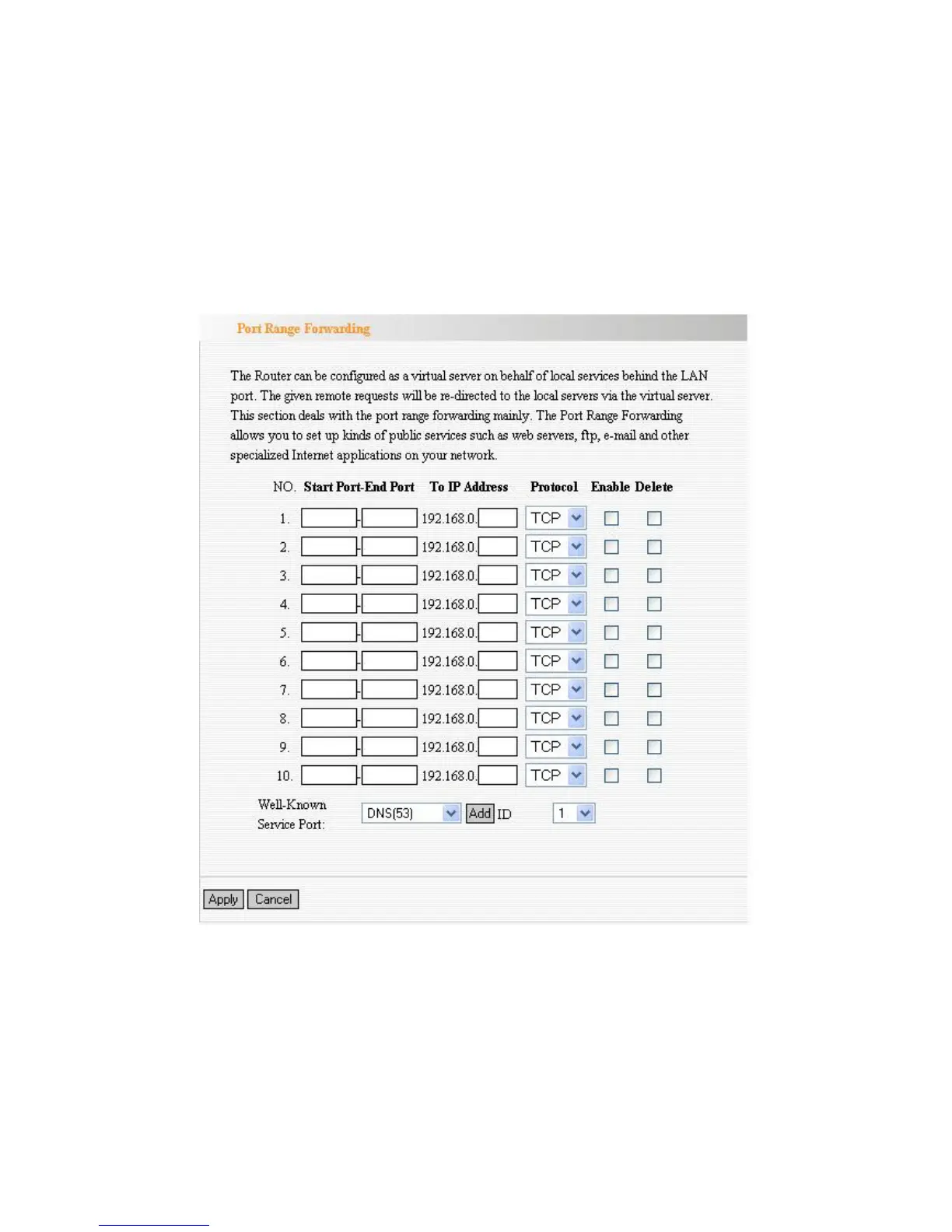
This section deals with the port range forwarding mainly. The Port Range
Forwarding allows you to set up a range of public services such as web servers,
ftp, e-mail and other specialized Internet applications to an assigned IP address
on your LAN.
Start/End Port: Enter the start/end port number which ranges the External
ports used to set the server or Internet applications.
IP Address: Enter the IP address of the PC where you want to set the
applications.
Protocol: Select the protocol (TCP/UDP/Both) for the application.
Well-Known Service Port: Select the well-known services as DNS, FTP
from the drop-down menu to add to the configured one above.
Delete/Enable: Click to check it for corresponding operation.



 To Next Page