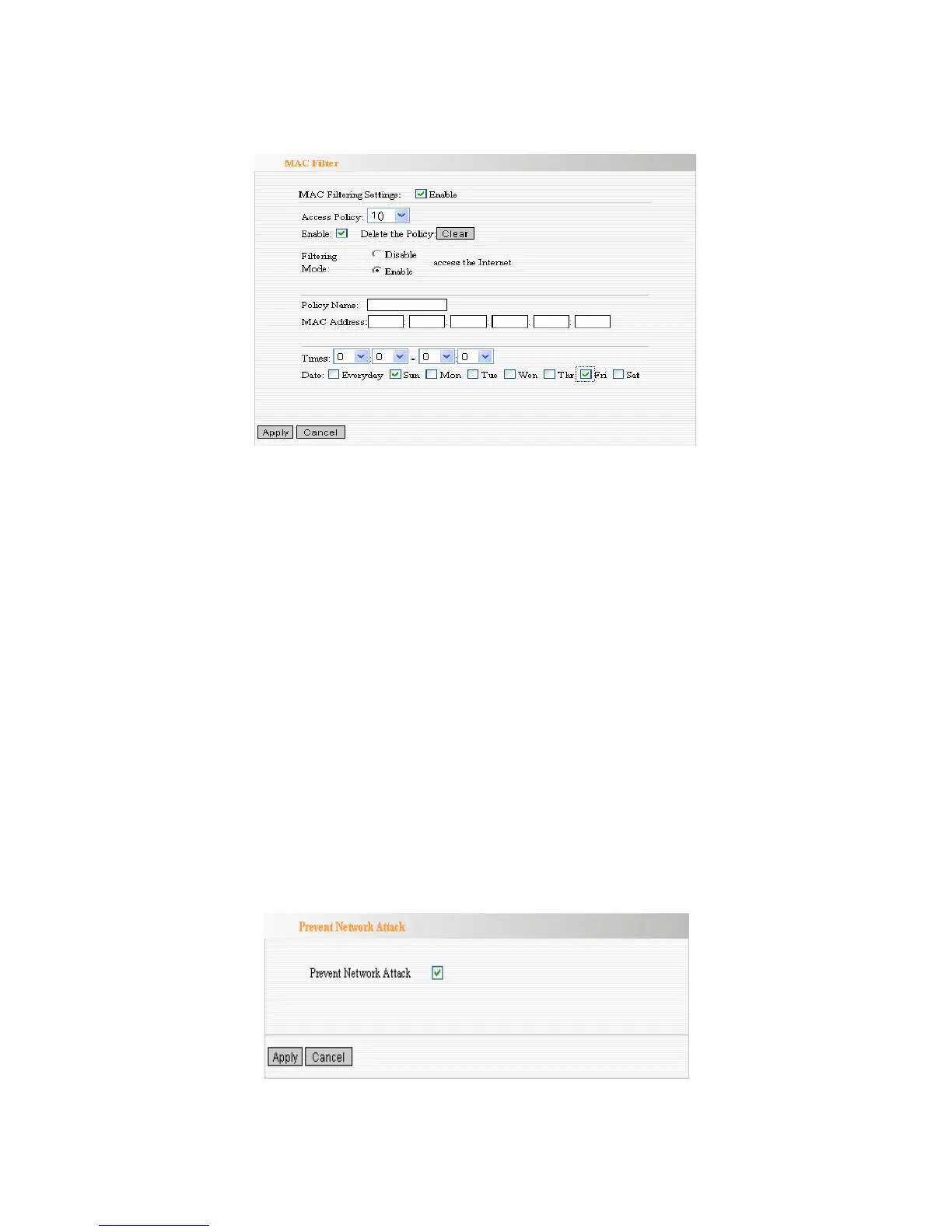
MAC Filter
MAC Filtering Settings: Select the checkbox to enable MAC address filter.
Access Policy: Select one number from the drop-down menu.
Enable: Select the checkbox to enable the access policy.
Delete the Policy: Click Clear button to clear all settings for the policy.
Filtering Mode: Select one button to enable or disable to access the
Internet.
Policy Name: Enter a name for the access policy selected.
MAC Address: Enter the MAC address you want to run the access policy.
Times: Select the time range of client filter.
Days: Select the day(s) to run the access policy.
Prevent Network Attack
This function is to protect the internal network from exotic attack such as SYN
Flooding attack, Smurf attack, LAND attack, etc. Once detecting the unknown
attack, ZSR4154WS will restrict its bandwidth automatically.
Prevent Network Attack: Select the checkbox to enable it.



 To Next Page