■ Type: 3 FLANGER (flanger)
This flanger effect creates a swell with a character, like a jet
engine.
● Parameter 2: Depth
● Parameter 3: Rate
● Parameter 4: Mode
This parameter sets the pre-delay time and the feedback
amount of the flanger effect. Setting a value between “A0” –
“A9” makes the pre-delay time short, and setting a value
between “b0” – “b9” makes the pre-delay time long. The
value on the right specifies the feedback amount.
■ Type: 4 PHASE (phaser)
This phaser effect gives a swell to the sound by adding the
effect sound with the cyclically-shifted phase to the dry
sound.
● Parameter 2: Depth
● Parameter 3: Rate
● Parameter 4: Mode
This parameter specifies the number of phaser stages and
the amount of resonance. Setting a value between “A0” and
“A9” selects the four-stage phaser, and setting a value
between “b0”–”b9” selects the eight-stage phaser. The value
on the right specifies a resonance amount that emphasizes
the character of the effect.
■ Type: 5 PITCH (pitch shifter)
This effect shifts the pitch of the effect sound within the
range of +/–1 octave.
● Parameter 3: Pit
This parameter specifies the range of pitch shift in semitone
steps.
● Parameter 4: Mix
This parameter specifies the mix balance of the effect sound.
(With a setting of 15, the mix ratio is 1:1. A value of 30
specifies that only the pitch shift sound will be heard.)
■ Type: 6 PEDAL-PITCH (pedal pitch shifter)
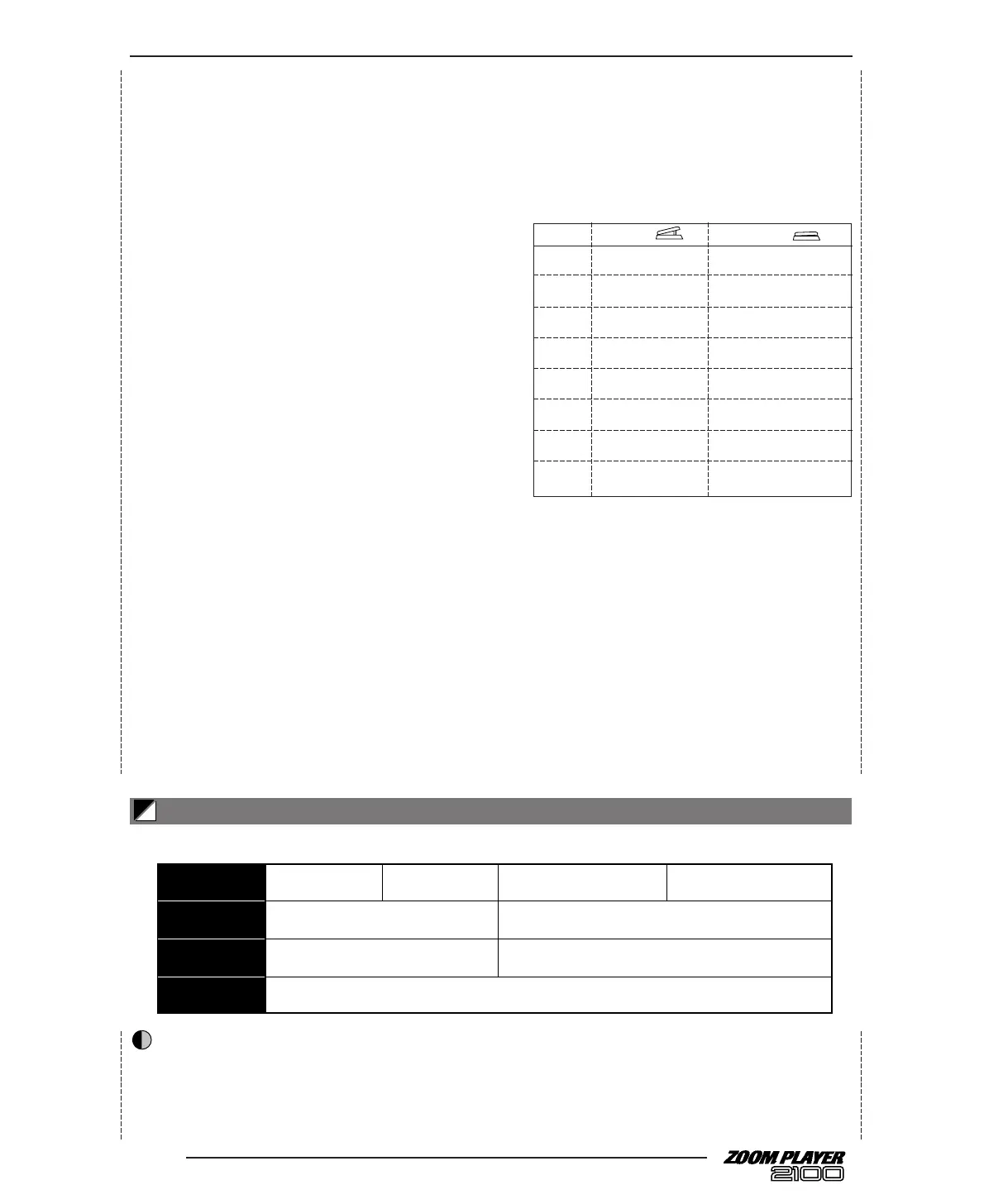
With this effect, the [FUNCTION] switch and an optional
foot pedal FP01 or FP02 can be used as a pedal pitch shifter.
● Parameter 4: Mode
Select the method of pitch shift from the following 16
modes. The minimum and maximum values of the pitch
shift (controlled by the [FUNCTION] switch and the FP01
or FP02) vary with the mode selection.
Mode
1. –100 cents dry
2. dry –100 cents
3. doubling detune + dry
4. detune + dry doubling
5. 0 cent +1 octave
6. +1 octave 0 cent
7. 0 cent –2 octaves
8. –2 octaves 0 cent
9. –1 octave + dry +1 octave + dry
10. +1 octave + dry –1 octave + dry
11. –700 cents + dry +500 cents + dry
12. +500 cents + dry –700 cents + dry
13. –∞ (0Hz) + dry +1 octave
14. +1 octave -∞ (0Hz) + dry
15. –∞ (0Hz) + dry +1 octave + dry
16. +1 octave + dry –∞ (0Hz) + dry
■ Type: 7 DELAY (delay)
This delay effect creates a delay time of up to six seconds.
● Parameter 2: Time
This parameter specifies the delay time. A value can be set
between “1” (10msec) and “99” (990msec) in 10msec steps,
or “1.0” (1 second) and “6.0” (6 seconds) in 100msec steps.
● Parameter 3: FB (←RTM)
This parameter specifies the feedback amount of the delay
sound. If you set this parameter to “S.o,” you can use the
[FUNCTION] switch or an optional foot pedal FP01 or
FP02 to use the “Sound-on-sound” function. (See page 14.)
● Parameter 4: Mix
This parameter specifies the mix balance of the effect sound.
18
This effect module includes reverb and ping-pong delay.



 To Next Page