4
Listening to a patch
When you turn on the power to the 2100, it automatically enters Play mode. This section describes
the panel display in Play mode and how to select a patch.
Panel display in Play mode
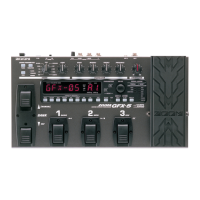
The display and LEDs on the panel indicate the following
information in Play mode:
● BANK number: The number of the currently-selected
bank (0–9) appears.
● PATCH number: The number of the currently-
selected patch (1–3) appears.
● BOTH indicator: This indicator indicates the
currently-available group. When a dot (.) lights up,
you can use both the USER group and the PRESET
group. When the dot is turned off, you can use either
one of these groups.
● PRESET indicator: This indicator indicates the
currently-selected group. When a dot (.) lights up, it
indicates that the PRESET group has been selected.
When the dot is turned off, the USER group has been
selected.
● Effect module on/off:
If a particular effect module is turned on for the
currently-selected patch, the corresponding module
LED on the panel lights up.
Use the [GROUP/EXIT] key to select the
desired group.
Pressing the [GROUP/EXIT] key repeatedly will
change the group in the following sequence:
When you switch the groups from USER to PRESET or
from PRESET to USER, the bank number will flash.
Use the [BANK▲] switch to select the
desired bank.
Pressing the [BANK▲] switch once increments
the bank number by one and selects the bank.
The bank number flashes.
• Pressing the [BANK▲] switch does not change the
patch. The patch will be changed in the next step.
• You can use the [FUNCTION] switch to decrement the
bank number. (See page 8.)
Use the foot switches 1–3 to select the
desired patch.
The bank number stops flashing, and the new
patch is selected.



 To Next Page