Connecting to a Wireless Network in Windows
To disconnect from the current network:
1 On your Windows desktop, click the Wireless Network Icon
in the System Tray.
2 Select your Network ID. And click on Disconnect.
Enabling the Wireless Zero Configuration service
in Windows XP
If you are using Windows XP and the Choose a Wireless
Network window displays the message Windows can not
configure the wireless connection. You will need to enable
the Windows Zero Configuration service. To enable Windows
Zero Configuration service, follow these steps:
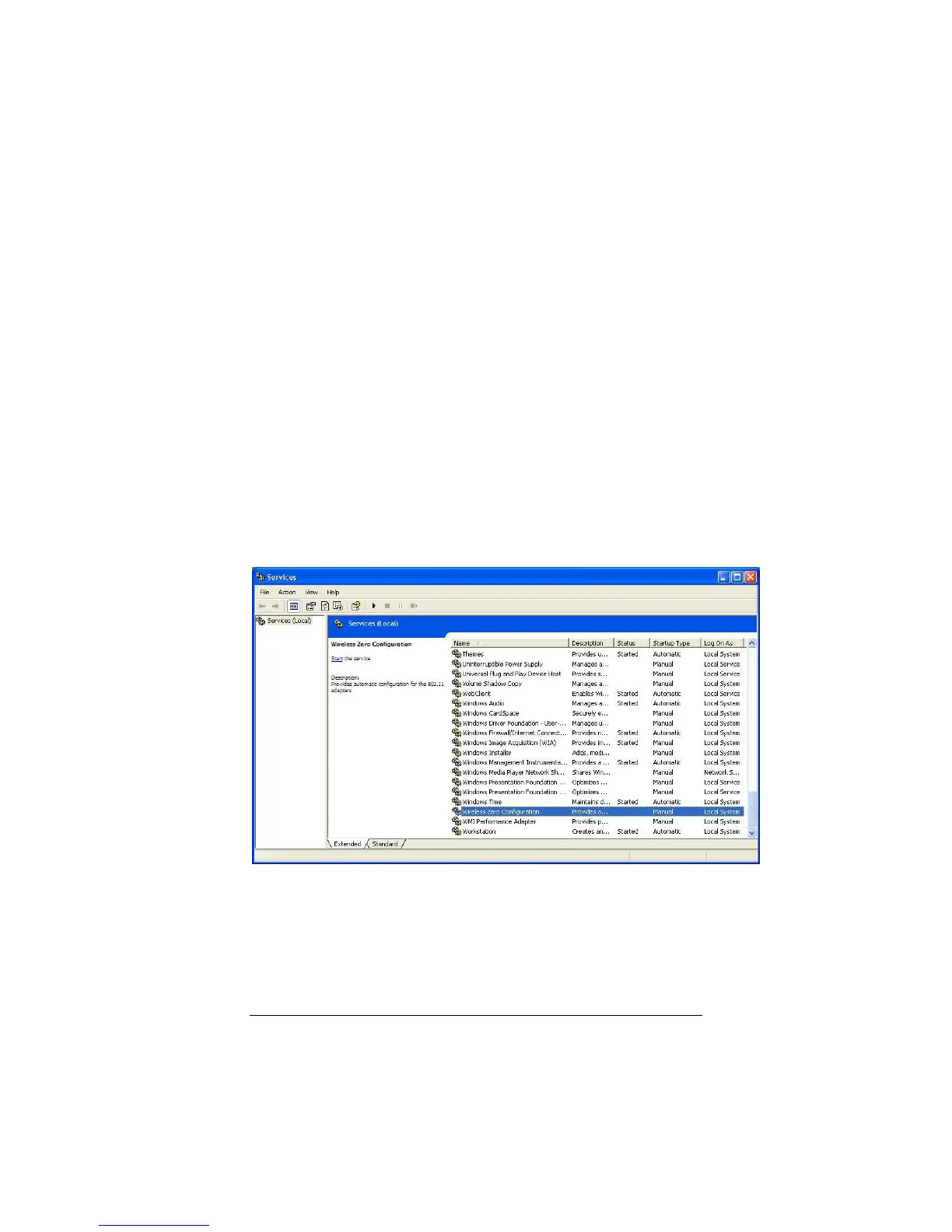
1 Click Start / Run enter Services.msc and click OK.
2 The Services window opens. Scroll down until you see
Windows Zero Configuration.
3 Double click on Windows Zero Configuration. The
Windows Zero Configuration Properties dialog box
opens.


 To Next Page