4
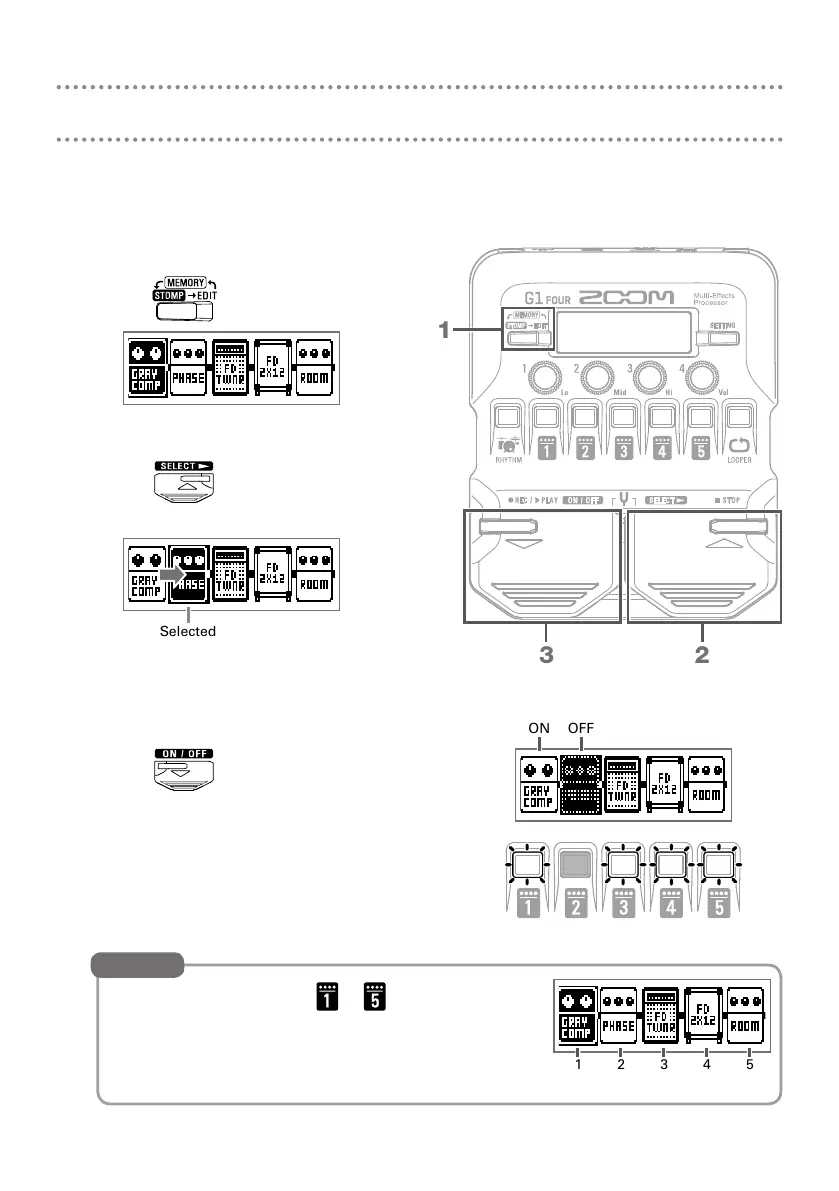
Turning effects ON/OFF (STOMP mode)
In STOMP mode, you can use the footswitches to turn ON/OFF each of the effects
used in the patch.
1.
Activate STOMP mode.
• Press
.
2.
Select an effect.
• Press
.
The selection moves to the right.
Selected
3.
Turn the effect ON/OFF.
• Press
.
This turns the selected effect ON/OFF.
You can also press the – that corresponds
to an effect to turn it ON/OFF.
HINT
ON OFF
1 2 3 4 5
Effect position and number
1
23



 To Next Page
 Loading...









