1
7YLZZ
2
:LSLJ[40?,9HUK
WYLZZ
100
6WLYH[PVUZ7SH`IHJR!40?,9
7SH`IHJR!40?,9
4CH mode only
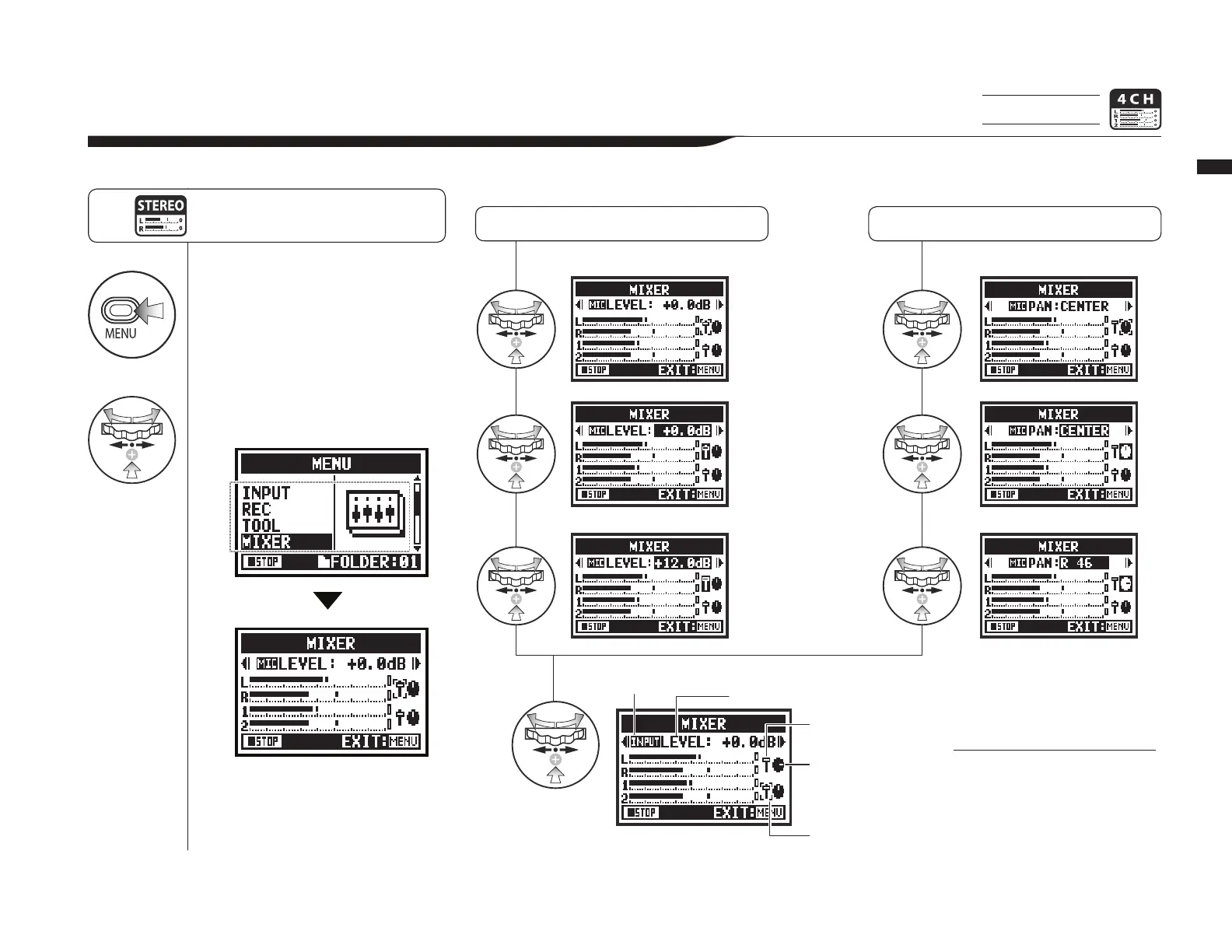
0U*/TVKL`V\JHU\ZL[OLTP_LY[VHKQ\Z[[OLWSH`IHJR3,=,3HUK7(5ZL[[PUNZVM[^VZ[LYLVÄSLZ
7YLZZ [OL 4,5< I\[[VU MVY TVYL
[OHUZLJVUKZHUKZ[HY[VWLYH[PVU
MYVT[OL[VWZJYLLU
3,=,3ZL[[PUN 7(5ZL[[PUN
4<;,òK)
+12.0dB
(default: 0.0dB)
L 100 – C – R 100
(default: C (center))
Shows if you are setting a
MIC or INPUT track
Name of parameter where cursor is
positioned and its setting value
Fader icon
Pan pot icon
Cursor shows
parameter selected
(M[LYZL[[PUNJVUÄYT^P[OPJVUZ
The cursor cycles on the
MIXER screen from MIC
LEVEL to MIC PAN to INPUT
LEVEL to INPUT PAN.



 To Next Page