Making various settings
Setting the language shown
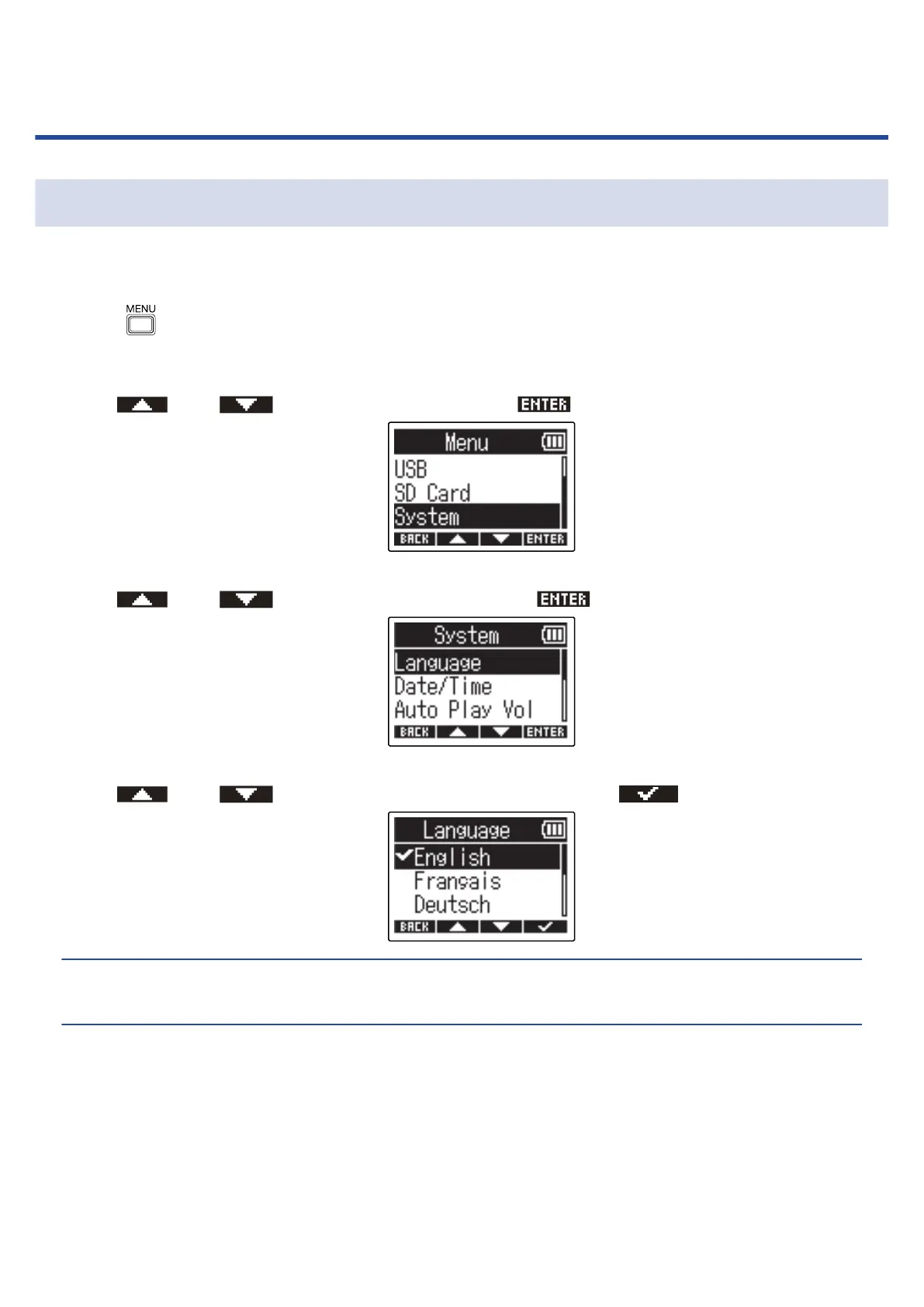
The language shown on the M2 screen can be changed.
1. Press when the Home Screen is open.
This opens the Menu Screen.
2. Use and to select “System” and press to confirm.
3. Use and to select “Language” and press to confirm.
4. Use and to select the language to show, and press to confirm.
HINT:
The first time you turn the power on after purchase, this screen opens automatically.
71



 To Next Page