Setting the display backlight
The display backlight can be set to stay on or off.
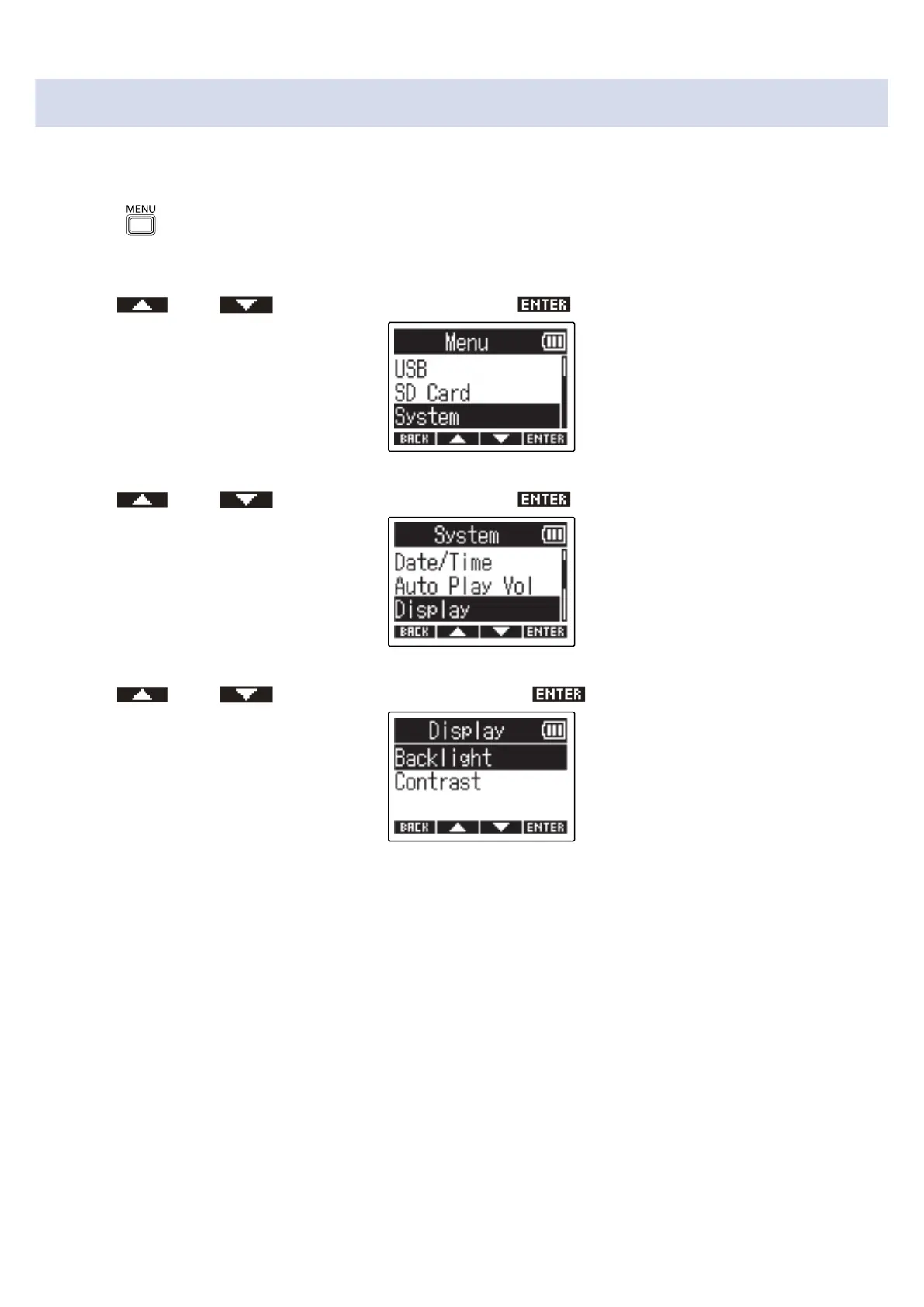
1. Press when the Home Screen is open.
This opens the Menu Screen.
2. Use and to select “System” and press to confirm.
3. Use and to select “Display” and press to confirm.
4. Use and to select “Backlight” and press to confirm.
76



 To Next Page