Managing the firmware
Checking the firmware versions
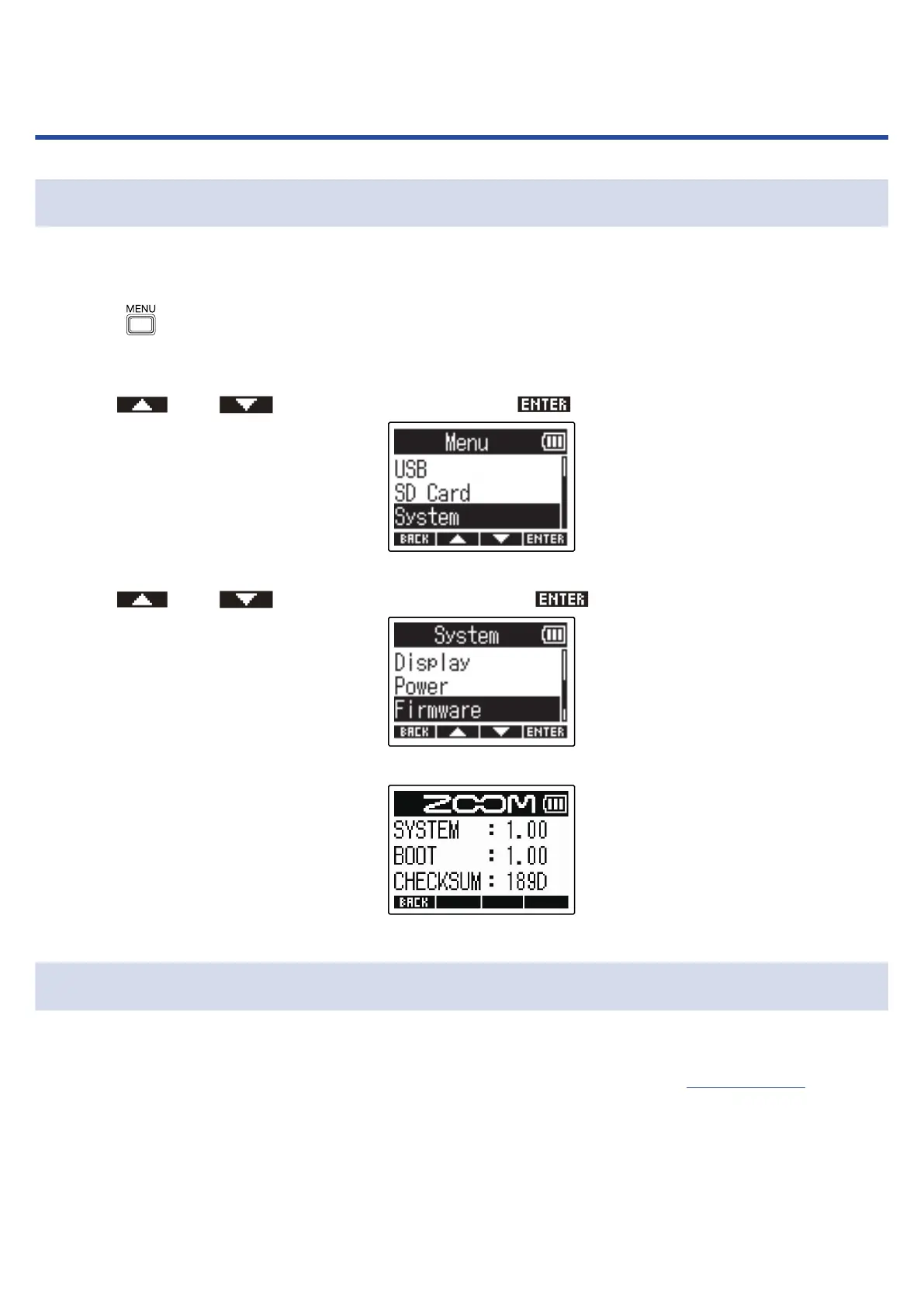
The firmware versions used by the M2 can be checked.
1. Press when the Home Screen is open.
This opens the Menu Screen.
2. Use and to select “System” and press to confirm.
3. Use and to select “Firmware” and press to confirm.
This shows the firmware versions.
Updating the firmware
The M2 firmware can be updated to the latest versions.
Files for the latest firmware updates can be downloaded from the ZOOM website (zoomcorp.com).
Follow the instructions in the “M2 Firmware Update Guide” on the M2 download page.
89



 To Next Page