Managing microSD cards
Formatting microSD cards
To maximize the performance of a microSD card, format it for use with the M2.
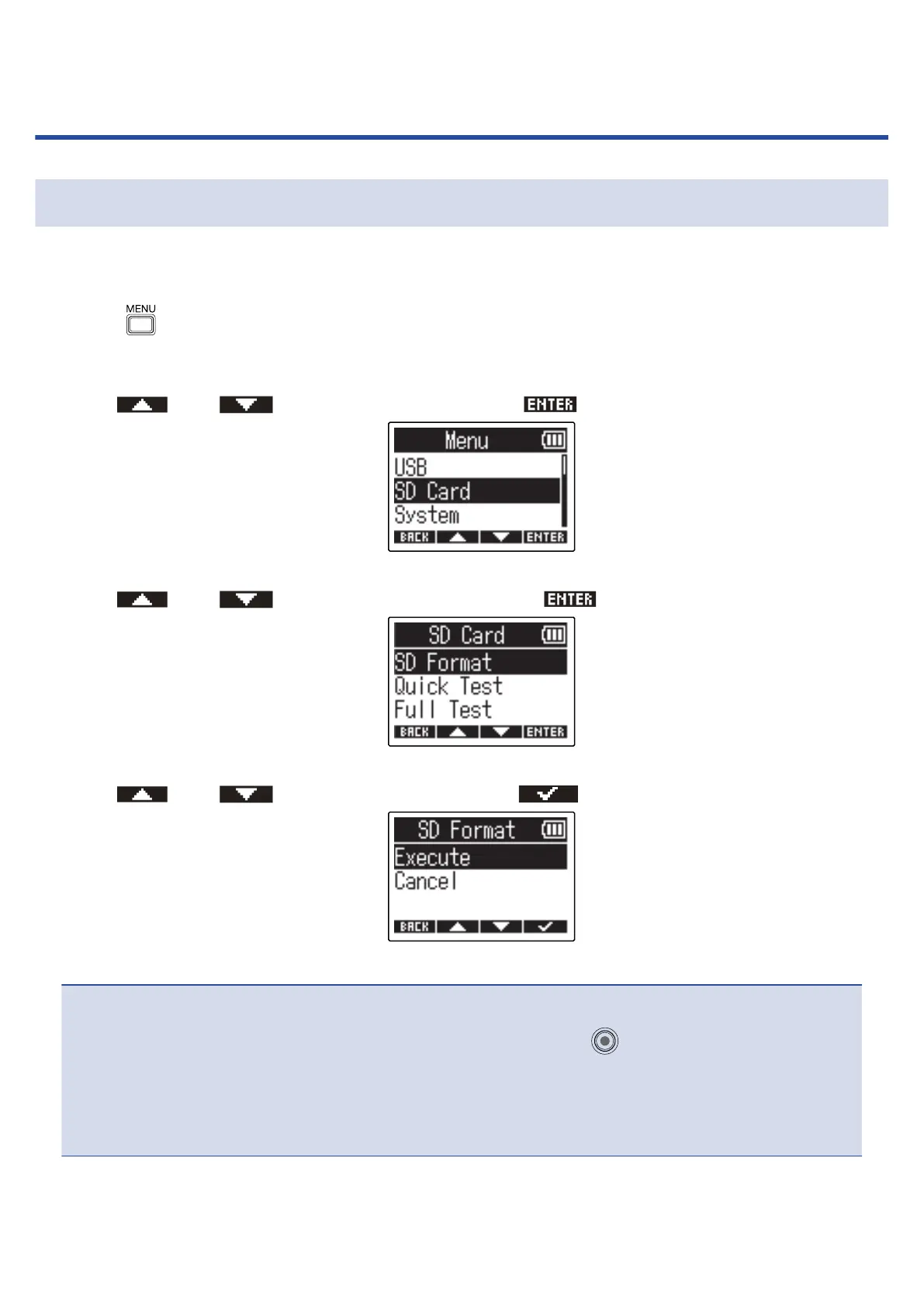
1. Press when the Home Screen is open.
This opens the Menu Screen.
2. Use and to select “SD Card” and press to confirm.
3. Use and to select “SD Format” and press to confirm.
4. Use and to select “Execute” and press to confirm.
This formats the microSD card.
NOTE:
• The microSD card formatting screen can also be opened by pressing while turning the power on.
• Always format microSD cards in order to maximize their performance after purchasing them new or
using them with a different device.
• Be aware that all data on the microSD card will be deleted when it is formatted.
83



 To Next Page