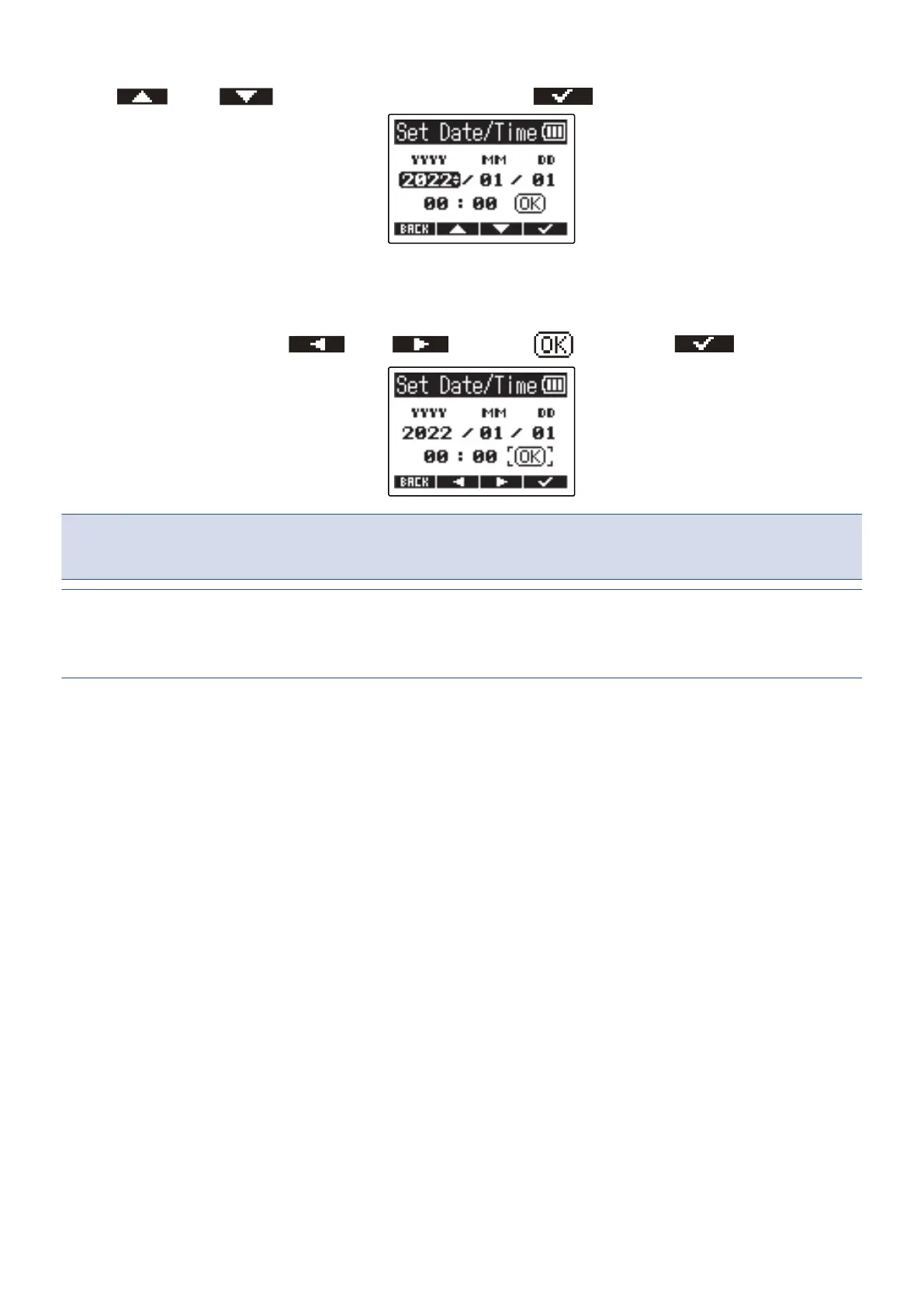
6. Use and to change the value, and press to confirm.
7. Repeat steps 5–6 to set the date and time.
8. After setting all items, use and to select , and press to confirm.
NOTE:
Changing the date and time will also reset the take numbers used for recording files.
HINT:
The first time you turn the power on after purchase, this screen opens automatically after you set the date
format.
73



 To Next Page