24
Display brightness/power saving
Display brightness/power saving
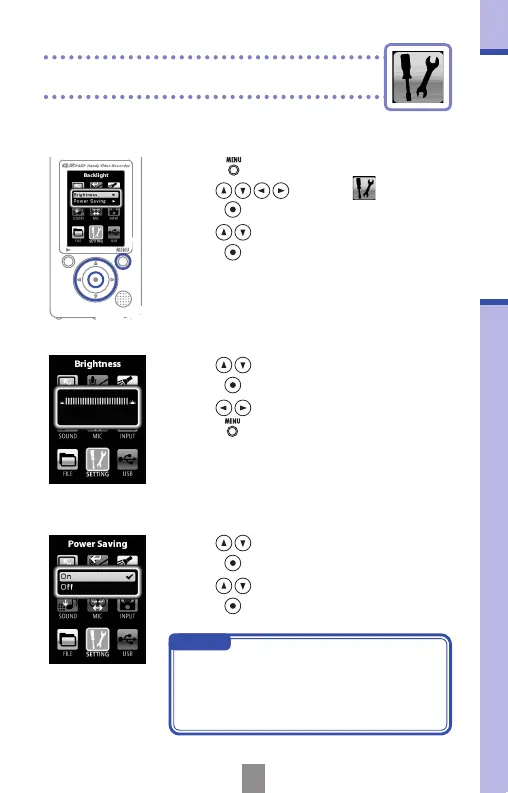
You can adjust the brightness of the display and set
the screen to turn off automatically to save power.
1.
Press to open the Main Menu.
2.
Use to select
SETTING
and
press
.
3.
Use to select Backlight and
press
.
2,3,4,5
1
■
Adjusting the display brightness
Brightness
Power saving
4.
Use to select Brightness and
press
.
5.
Use to set the brightness and
press
.
■
Set the power saving mode
4.
Use to select Power Saving and
press
.
5.
Use to select On or Off and
press
.
NOTE
• When on, the display will darken if no
operation has occurred for 30 seconds.
• When using an AC adapter, this setting
is ignored.



 To Next Page