13
Adjusting Headphone and Speaker Volume
Playback
Adjusting Headphone and Speaker Volume
Adjusting Headphone Volume
1.
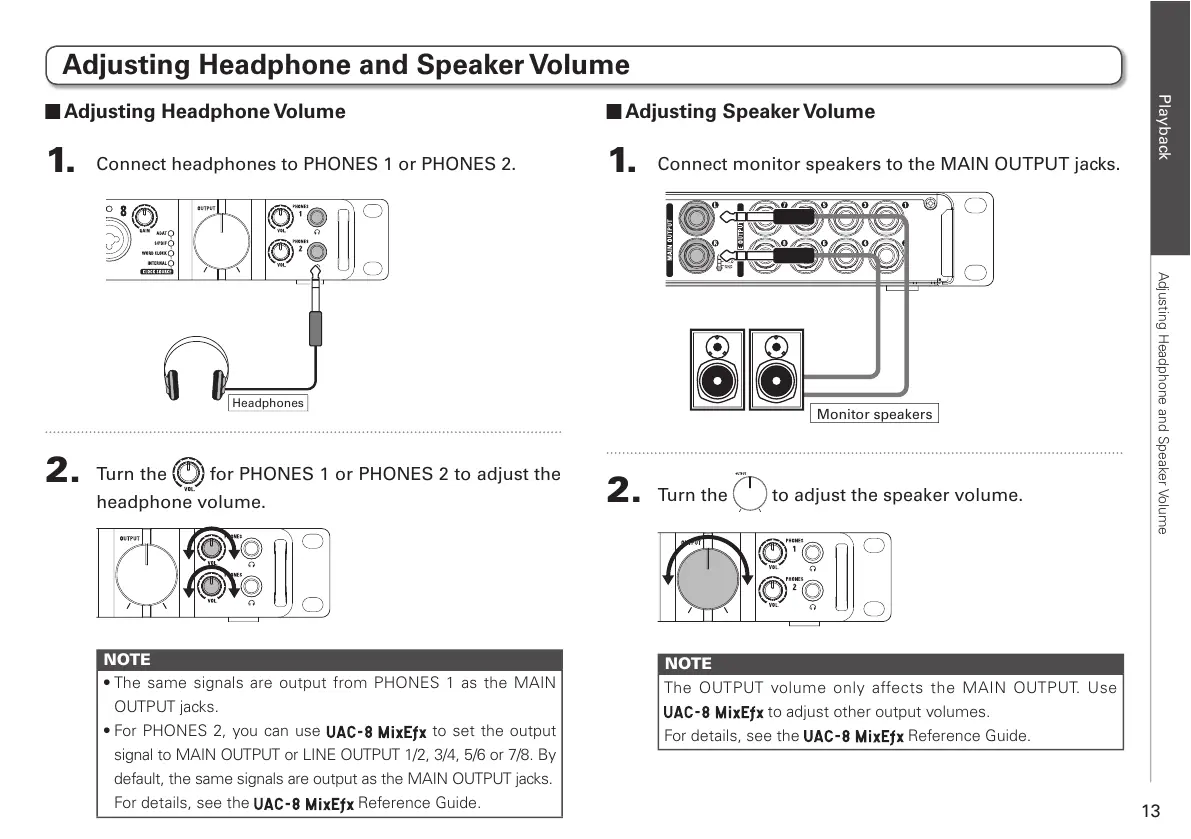
Connect headphones to PHONES 1 or PHONES 2.
2.
Turn the for PHONES 1 or PHONES 2 to adjust the
headphone volume.
NOTE
t5IF TBNFTJHOBMT BSF PVUQVU GSPN 1)0/&4BT UIF."*/
OUTPUT jacks.
t'PS1)0/&4ZPV DBO VTF
to set the output
signal to MAIN OUTPUT or LINE OUTPUT 1/2, 3/4, 5/6 or 7/8. By
default, the same signals are output as the MAIN OUTPUT jacks.
For details, see the Reference Guide.
Adjusting Speaker Volume
1.
Connect monitor speakers to the MAIN OUTPUT jacks.
2.
Turn the to adjust the speaker volume.
NOTE
The OUTPUT volume only affects the MAIN OUTPUT. Use
to adjust other output volumes.
For details, see the Reference Guide.



 To Next Page