20
Using Digital Audio Equipment
Using Digital Audio Equipment (continued)
Connecting the WORD CLOCK Connectors
Use the WORD CL OCK connector s when you want to
synchronize with a master clock generator, for example.
1.
Minimize the volume of output devices connected to
the
.
HINT
When connected, noise might occur until clock synchronizes.
2.
Set the same sampling rates for the and the
connected device.
NOTE
For instructions about how to change the sampling rate of the
, see the Reference Guide.
►Using the connected device as the master clock
3.
Use to set CLOCK SOURCE to WORD
CLOCK.
The WORD CLOCK CLOCK SOURCE
indicator will blink.
4.
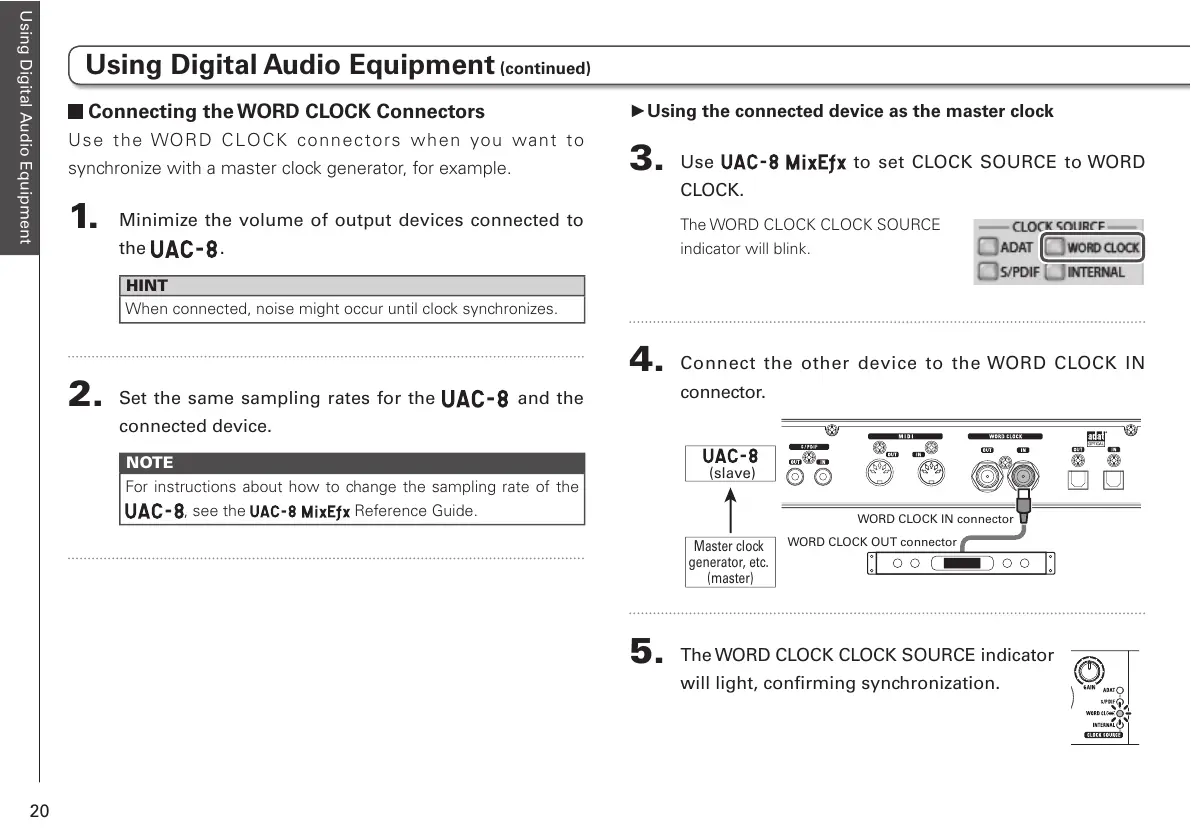
Connect the other device to the WORD CLOCK IN
connector.
5.
The WORD CLOCK CLOCK SOURCE indicator
will light, confirming synchronization.



 To Next Page