08
Turning the Power On and Off
Turning the Power On
1.
Minimize the volume of output devices connected to
the
.
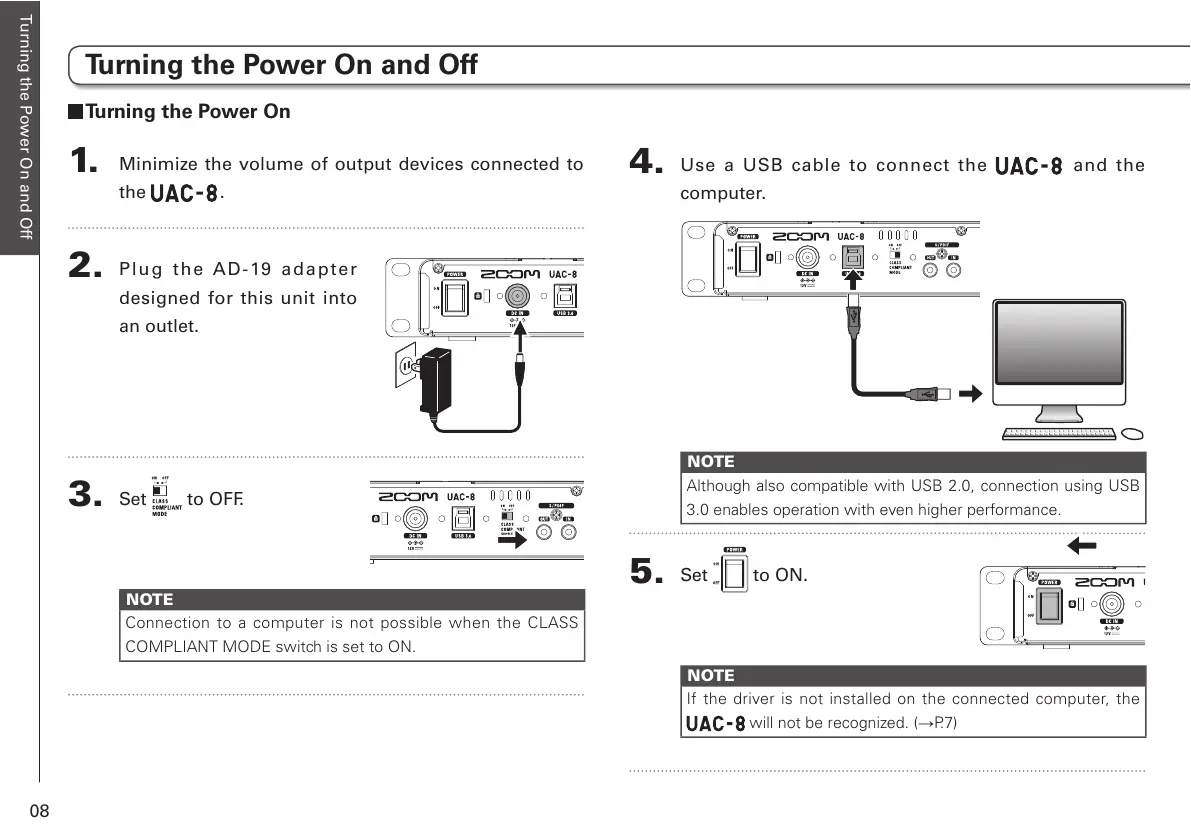
2.
Pl ug the AD-19 adap ter
designed for this unit into
an outlet.
3.
Set to OFF.
NOTE
Connection to a computer is not possible when the CLASS
COMPLIANT MODE switch is set to ON.
4.
Use a USB cable to connect the and the
computer.
NOTE
Although also compatible with USB 2.0, connection using USB
3.0 enables operation with even higher performance.
5.
Set to ON.
NOTE
If the driver is not installed on the connected computer, the
will not be recognized. (→P.7)
Turning the Power On and Off



 To Next Page