28
Sprint Applications
Access additional exclusive Sprint features right from
your phone.
Sprint Music Plus
In addition to the Music application (see page
26), your phone offers Sprint Music Plus, an
all-in-one music store and player for full songs,
ringtones, and ringback tones.
Get Sprint Music Plus
1. Touch > > Play Store
.
2. Touch Apps > Sprint > Sprint Music Plus and
follow the prompts to download and install the app.
Use Sprint Music Plus
► Touch
>
> Sprint Music Plus.
• Touch My Library to access all your music,
including items you have purchased or loaded
onto your phone’s microSD card.
• Touch Downloads to access your list of
downloaded music.
• Touch Music Store to access the music store,
where you can search for, sample, and
purchase DRM-free music.
• Touch Ringtone Store or Ringback Tone
Store to fi nd and purchase new ringtones
and ringback tones for your phone.
• For more information, touch
> More >
Help & About.
Scout™
ScoutTM by Telenav is a daily personal navigator
that helps you get where you’re going. It lets you
see and hear turn-by-turn directions and it can
provide important, personalized information
about traffi c and alternate routes.
visit sprint.com/support for complete user guide 5
Android Basics
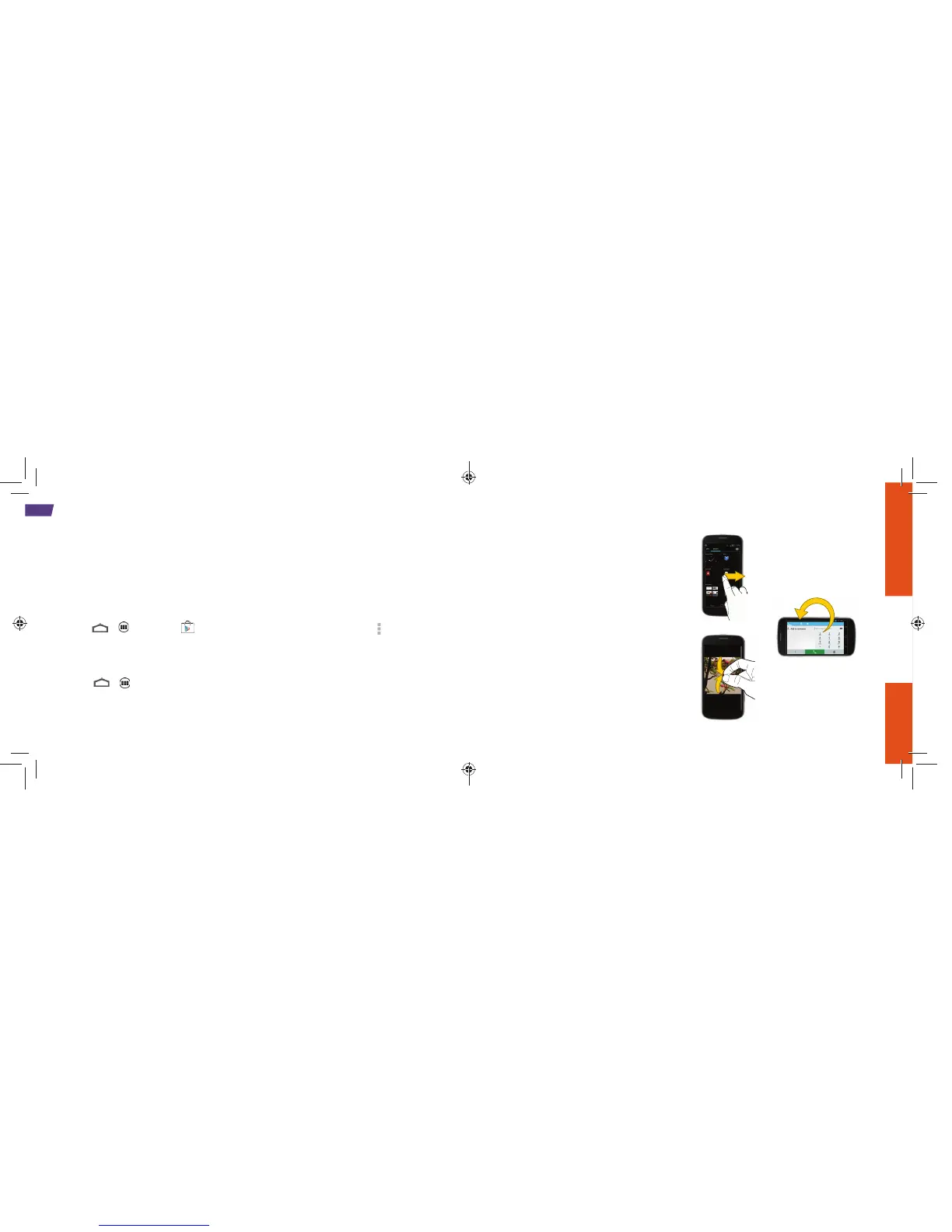
Swipe or slide,
Drag
Rotate
Swipe or slide: Quickly drag your fi nger vertically
or horizontally across the screen.
Drag: Press and hold your fi nger with some
pressure before you start to move it. Do not
release your fi nger until you have reached the
target position.
Rotate: Activate the auto-rotate feature to
automatically change the screen orientation
from portrait to landscape by turning the
phone sideways.
Pinch and Spread: “Pinch” the screen using your
thumb and forefi nger to zoom out or “spread” the
screen to zoom in when viewing a picture or a
Web page.
Pinch and
Spread



 To Next Page