14
u
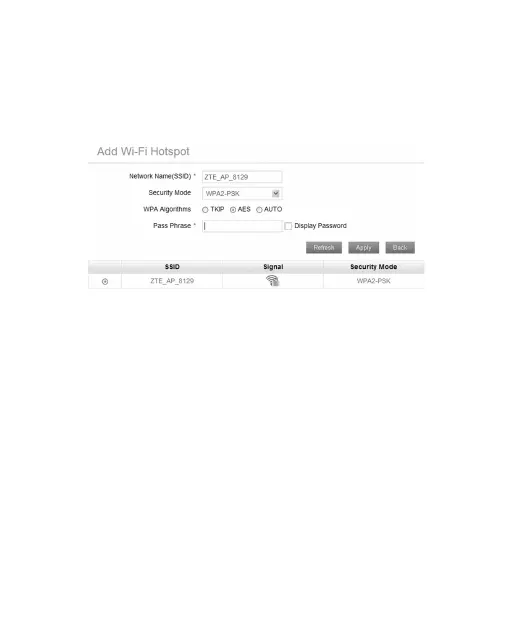
Input the Wi-Fi Hotspot information in the Add Wi-Fi
Hotspot area, and then click Apply.
u
Select this Wi-Fi Hotspot which will be listed, input the
Pass Phrase and click Apply.
5. After the client connected to the Wi-Fi Hotspot success-
fully, you can access the Internet.
Conguring Your PC
Follow the following steps and gures for Windows XP to con-
gure the Internet Protocol for your Wi-Fi connection.
1. Right-click My Network Places, and then select Proper-
ties.


 To Next Page