EasyManua.ls Logo

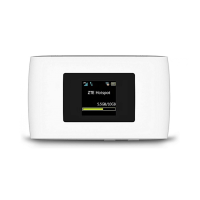
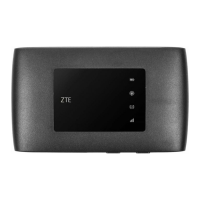
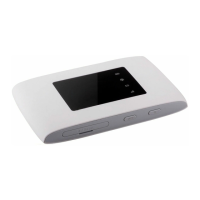
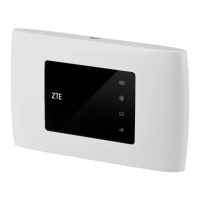
Zte MF920US - User Manual

Zte MF920US
28 pages
Print Icon
To Next Page IconTo Next Page
Loading...
MF920U
Quick Start Guide

Questions and Answers

  • A
    amanda02Aug 11, 2025
    How to establish Wi-Fi connection between device and client on Zte MF920US Network Router?
    • C
      Cody Bennett MDAug 11, 2025
      To establish a Wi-Fi connection between your device and a client on your Zte Network Router: * Ensure that the Wi-Fi function is enabled. * Refresh the network list and select the correct SSID. * Check the IP address, and ensure that your client can automatically obtain an IP address. * Enter the correct network key (Wi-Fi password) when you connect the client to your device.
  • C
    Collin MorenoAug 20, 2025
    What to do if the client connected to Zte MF920US cannot access the Internet?
    • S
      Steve KimAug 20, 2025
      If a client connected to your Zte Network Router can't access the internet, make sure your micro-SIM card is working properly. Try moving to a location with a stronger signal. Also, verify the settings for the WAN connection mode. If problems persist, contact your service provider to confirm your APN settings.
  • J
    Jason ThompsonAug 27, 2025
    How to access the 4G Mobile Hotspot configuration page on Zte Network Router?
    • I
      igarciaAug 27, 2025
      If you're having trouble accessing the 4G Mobile Hotspot configuration page on your Zte Network Router, first, make sure you're entering the correct address: the default address is http://192.168.0.1 or http://ufi.ztedevice.com. Also, ensure that you are using only one network adapter in your PC and that you are not using any proxy server.
  • M
    matthewrodriguezSep 3, 2025
    How to establish a USB connection between my device and PC with Zte MF920US Network Router?
    • A
      Alexandra PerezSep 3, 2025
      To establish a USB connection between your device and a PC: install the software by running the installation program located in My Computer > ZTEMODEM. If the driver is not working correctly, reinstall the software, remembering to uninstall it first.

Zte MF920US Specifications

General IconGeneral
Network StandardsIEEE 802.11b/g/n
Wi-Fi Standard802.11b/g/n
Maximum Wi-Fi Speed150 Mbps
LTE CategoryCat 4
Max. Speed Down150 Mbps
Max. Speed Up50 Mbps
Battery Capacity2000mAh
Number of Connected Devices10
SIM Card TypeMicro SIM
Weight120g
External Antenna InterfaceNo
USBMicro USB
DisplayLED Indicators
Device TypeMobile Hotspot
Network TechnologyLTE

Related product manuals