67
CAUTION:
The formatting procedure erases all data on the microSDHC card,
after which the files CANNOT be retrieved.
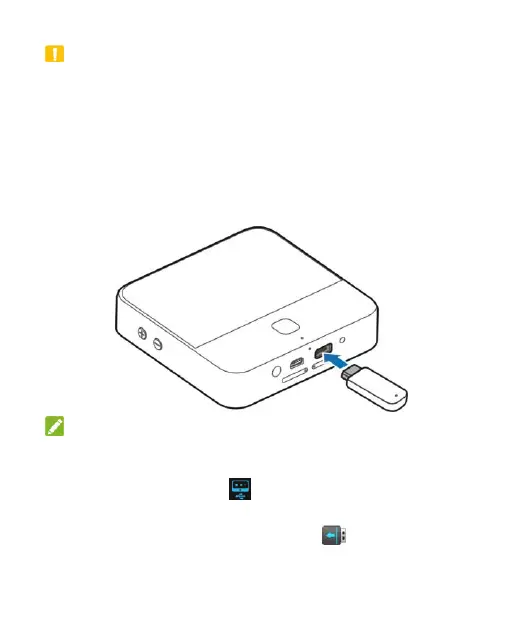
Connecting to a USB Device
You can connect a USB device such as a USB flash drive or a
portable hard drive to Spro 2 via the USB jack, and touch the
Home key > APPS tab > File Manager > USB DEVICE to view
the files saved in the USB device.
NOTES:
Before connecting your Spro 2 with a USB device, slide the
status bar down to open the notification panel and ensure that
Connect to USB stick is highlighted.
To disconnect a USB device from your Spro 2, you should
open the notification panel and touch > OK.


 To Next Page