15
Installing the microSDHC™ Card
The microSDHC card can be installed and removed while the
phone is turned on. Unmount the microSDHC card before
removing it.
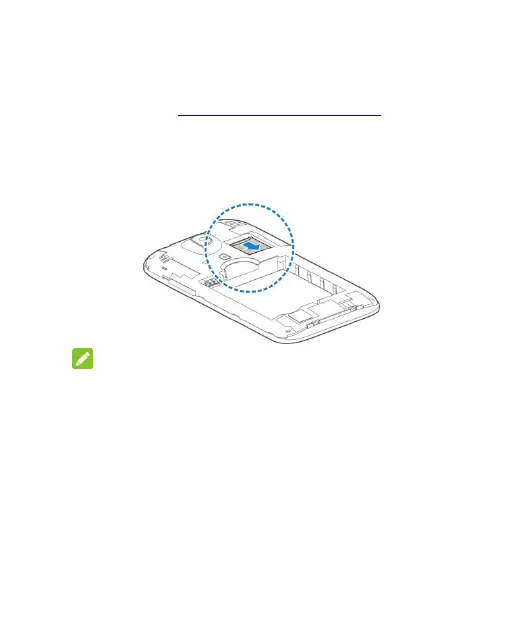
1. Remove the back cover.
2. Hold your microSDHC card with the metal contacts facing
down and slide it in.
NOTE:
Some applications may require a microSDHC card to store
certain data on it and to work properly. Therefore, it is
recommended that you keep a microSDHC card installed and
not remove or replace it unnecessarily.
3. Replace the back cover.
Charging the Battery
Your phone’s battery should have enough power for the phone to
turn on, find a signal, and make a few calls. You should fully
charge the battery as soon as possible.



 To Next Page