2 EASY
TFT DISPLAY MODULE
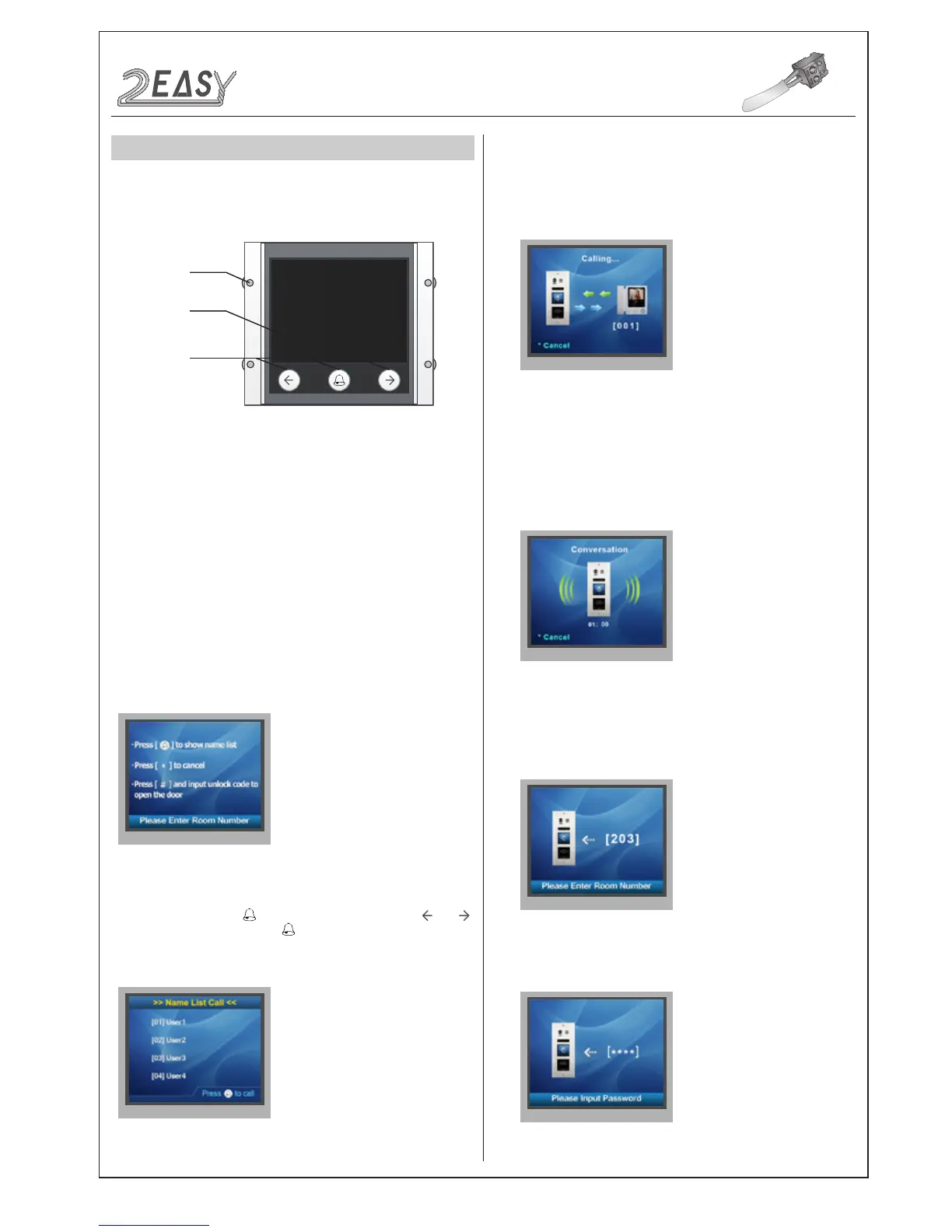
1. Parts and functions
2. Features
3. Functions
3.5 inch TFT
screen
Touch sensor
button
Mounting
screw
• Calling via name list
• 3.5 inch TFT display
• Operation visualization
• With three touch buttons
• Easy update of name list
• Standby
• Name List Calling
• Calling Display
• Conversation
• Keypad operation
This is the start point in standby mode, It can be customized.(More
details refer to UI Update section)
In standby mode, press to show the name list. Press or
to select name. After that, press to call the corresponding user.
Press * (Keypad Module) to cancel the call.
This is the user interface of calling process. (Know that if the name
list is created, the resident’s name will be showed on screen)
Press * (Keypad Module) to cancel the call.
This is the user interface of conversation process.
The conversation time will be recorded.
Press * (Keypad Module) to cancel the call.
i) When in standby mode, input the number by pressing keypad, the
room number will be showed on screen.
ii) When in standby mode, press # key,a password will be asked. This
is the user interface of password input.
MODULES
DMR21 Technical Manual -11-



 To Next Page