2 EASY
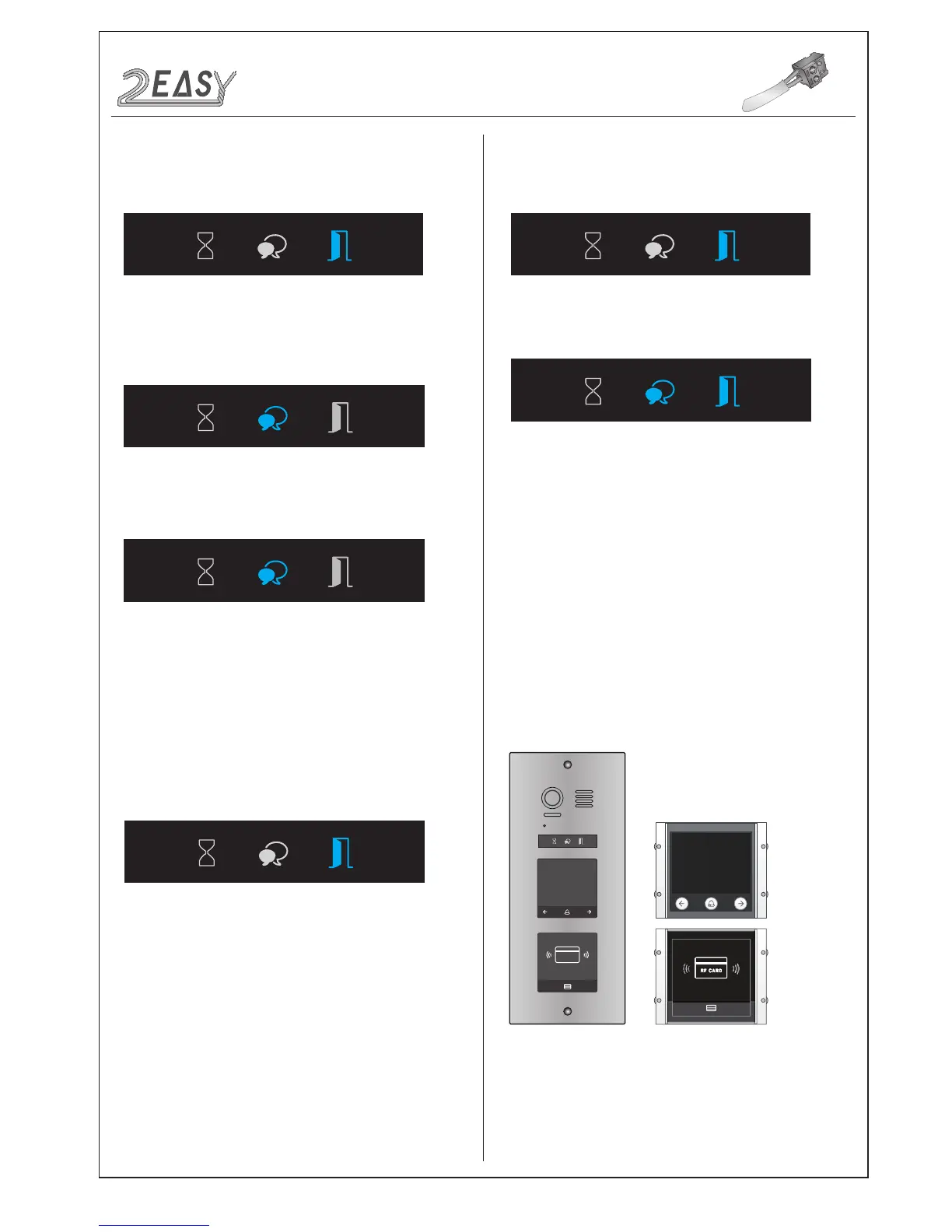
Power on and short out EB+,EB- , a sound of “BP+” will be sent out,
and the Unlock indicator will turn on
• User Card Setting
In standby mode, show the MASTER CARD ADD, it will sound
“BP+,BP”, the Talk indicator will turn on
Input the room number you need to set (0 is default). Show User
Cards, it will sound “BP+”, and the Talk indicator blinks ones. You
can continuously show User Cards
Show the MASTER CARD ADD to exit out Add User Card Setting,
it will sound “BP,BP+”, and all indicators are turned off. (without any
operation for 10 seconds, it will return to standby mode)
In standby mode, show the MASTER CARD DELETE, it will sound
“BP+,BP”, and the Unlock indicator is turned on. and the Delete
Card Mode is activated.
In standby mode, show the MASTER CARD DELETE, it will sound
“BP+,BP”, and the Unlock indicator will turn on
Show the MASTER CARD ADD, it will sound “BP+,BP”, and the Talk
indicator and the Unlock indicator will turn on
Show the MASTER CARD ADD, it will sound “BP”, the Talk indicator
and the Unlock indicator will blink, and after 10 seconds, it will
return to standby mode
i) By PC
ii) By SD Card
--Delete by room number: Input the room code, it will sound “BP+”,
and the Unlock indicator blinks one time,all associated cards will be
deleted..
--Delete by User Card: Show the User Cards which you need to
delete. It will sound “BP+”, and he Unlock indicator blinks one time.
(You can continuously show user cards that you need to delete)
In Delete Card Mode :
Show the MASTER CARD DELETE to exit out Delete Card Mode.
It will sound “BP,BP+”, and all indicators are turned off. (without any
operation for 10 seconds, it will return to standby mode)
i) Add User Card
ii) Delete User Card
iii) Format Card
iiii) Card Database
MODULES
The informations will be displayed on screen when some operations
are carried on, such as Master Card Setting, Add User Card and
Delete User Card etc.
For example,swipe the user card, the info of “Door Open” will be dis-
played on screen.
4. Combination
• Combination With TFT
Module
RF CARD
A
1234
56
0
78
9
*
#
B
DMR21 Technical Manual -13-



 To Next Page