1.
a.
b.
2.
a.
b.
c.
d.
3.
a.
b.
c.
4.
SMPP Basic Configuration – Step by Step
This section helps you define the basic parameters for SMS sending/receiving via SMPP
in . Read the subsection carefully before setting details.2N StarGate
®
Messaging
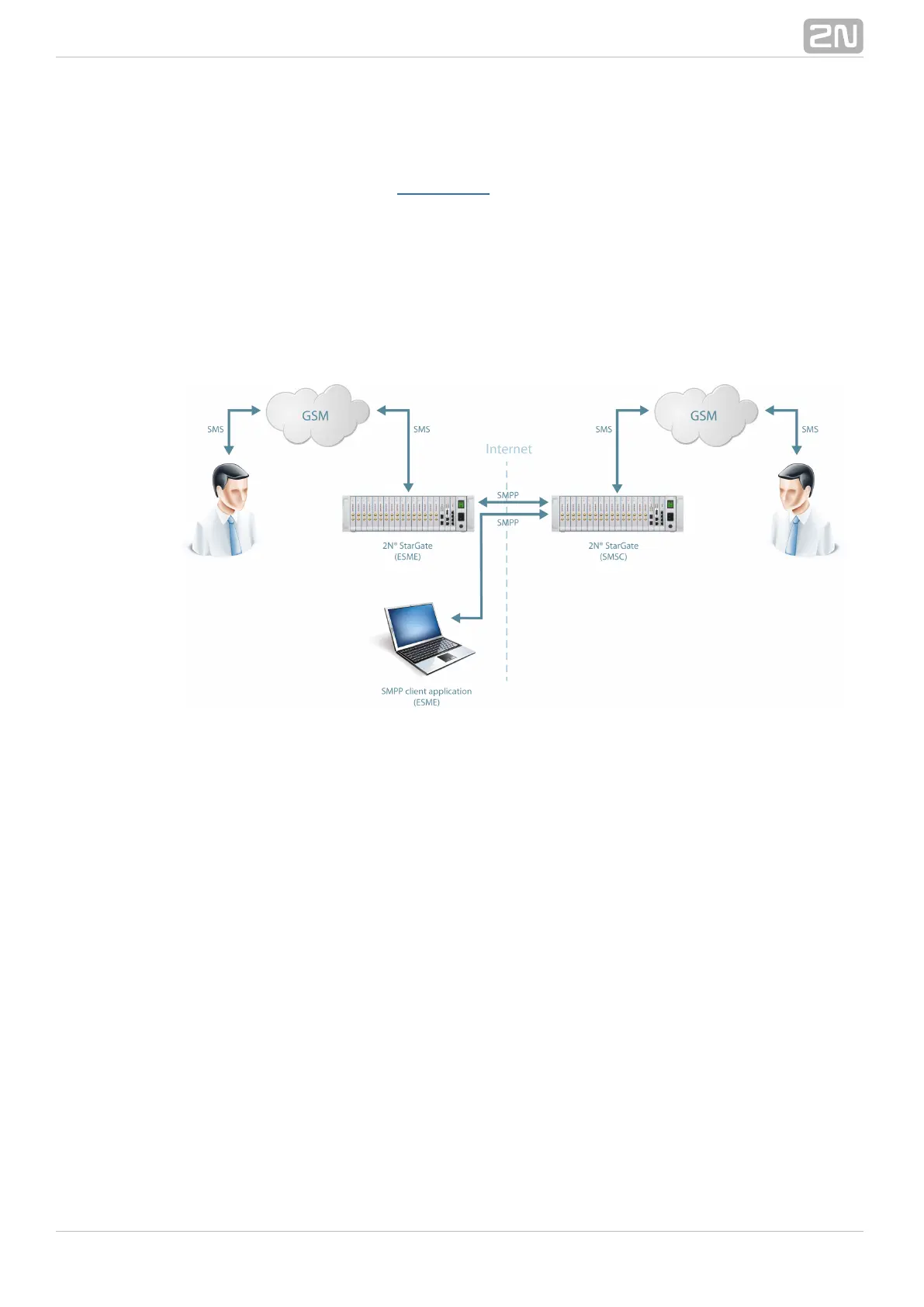
shows sending/receiving SMS via SMPP. Having created user accounts in Figure 1 2N
, the users can send/receive SMS via SMPP. The figure shows an example StarGate
®
with two SMSC accounts created in (to the right). Another 2N StarGate
®
2N
®
(ESME) gateway and a PC on which the SMPP (ESME) application is running StarGate
are connected to these accounts via SMPP. An SMS coming to via SMPP2N StarGate
®
is routed according to the gateway outgoing routing rules and sent to GSM. An SMS
coming from GSM is routed according to the gateway incoming routing rules and sent
to the destination via SMPP.
SMPP CommunicationFigure 1:
Take the following basic steps in to enable SMS sending/receiving:2N StarGate
®
In the menu: Messaging / SMS grouping
Assign the selected GSM modules to the SMS groups (according to the GSM
provider and SIM cards with identical tariffs, for example).
Assign the SMS groups created in step 1.a above to the User groups if you
use messaging with different routing rules to different company
departments, for example.
Add users in the Messaging / Users Add / menu:
Assign the user to a User group.
Set Access type: SMPP (SMSC).
Set and to access the GSM gateway SMS server viaSy stem ID Password
ESME.
Set .TCP type: server
Create the incoming SMS routing rules in the Messaging User Group / /
General settings Incoming SMS routing Add / / menu:
Select the group to receive the SMS via the Message from SMS group
menu.
Select the to define how to process incoming SMS. Example:A ction type
Set Action type: Deliver to user to deliver SMS to selected users .
Set Deliver to user to to define the SMS receiving user.
Create the outgoing SMS routing rules in the Messaging User Group / /



 To Next Page