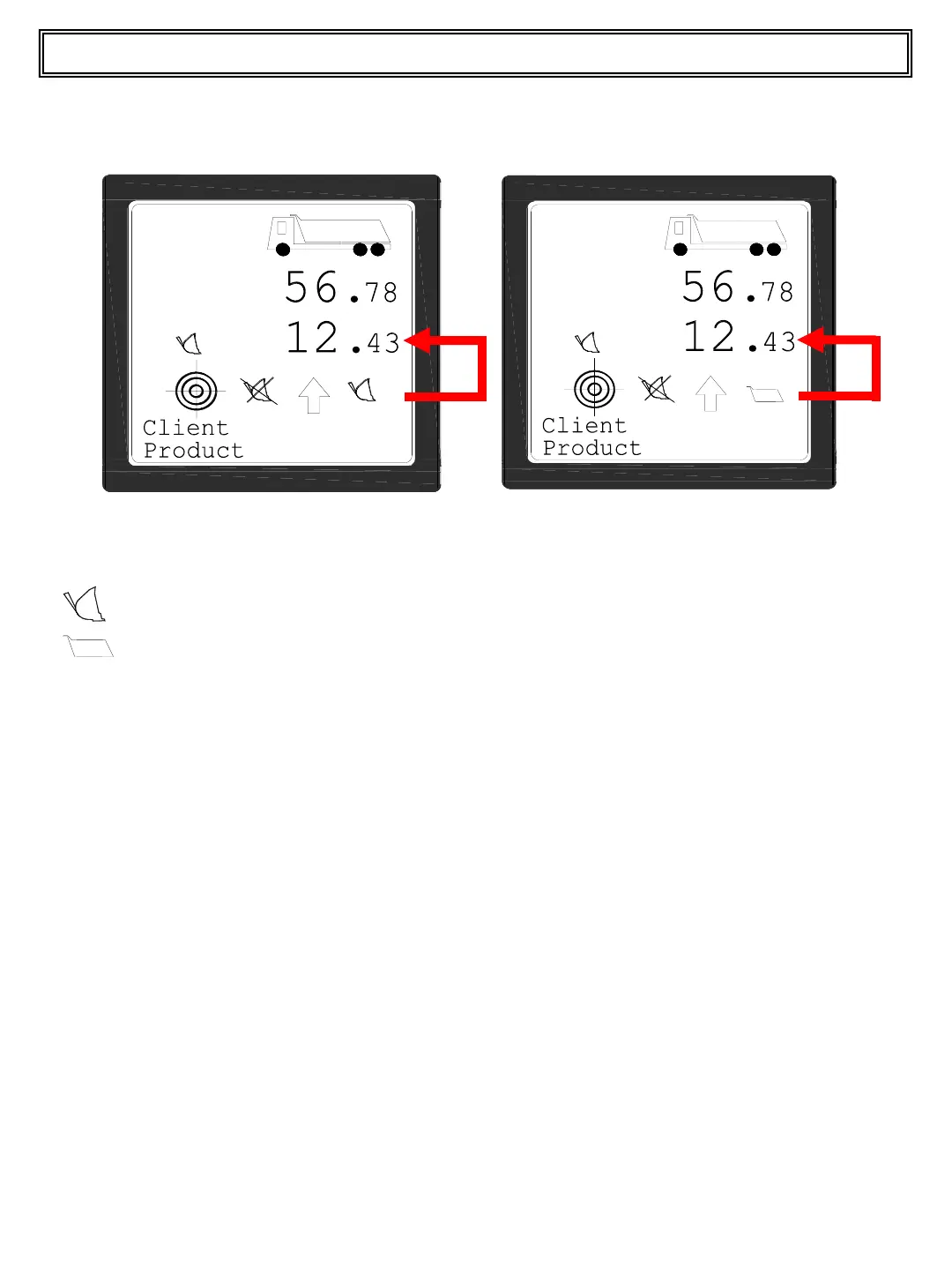
During a Multi-Product load you can see two icons on the display:
: Last bucket load is displayed.
: Total for the selected material is displayed.
Switch between these visualizations by press and releasing the RIGHT (+) pushbutton.
The Multi-Truck function is always enabled and is completely transparent by the operator.
Changing the truck selected during a load (Total Load > 0) system freezes in memory
actual load and it starts again to load from 0. Then you can finish the second truck
(usually with print total and delete total) and load again previous truck selecting it’s code
(previous values are restored on the display!).
NOTE: using Multi-Product and Multi-Truck all the partial values are lost when cycling the
power during a load !
15
Top Master User Manual
Multi-Product/Multi-Truck function


 To Next Page