C
M
P
Esc
Enter
Space
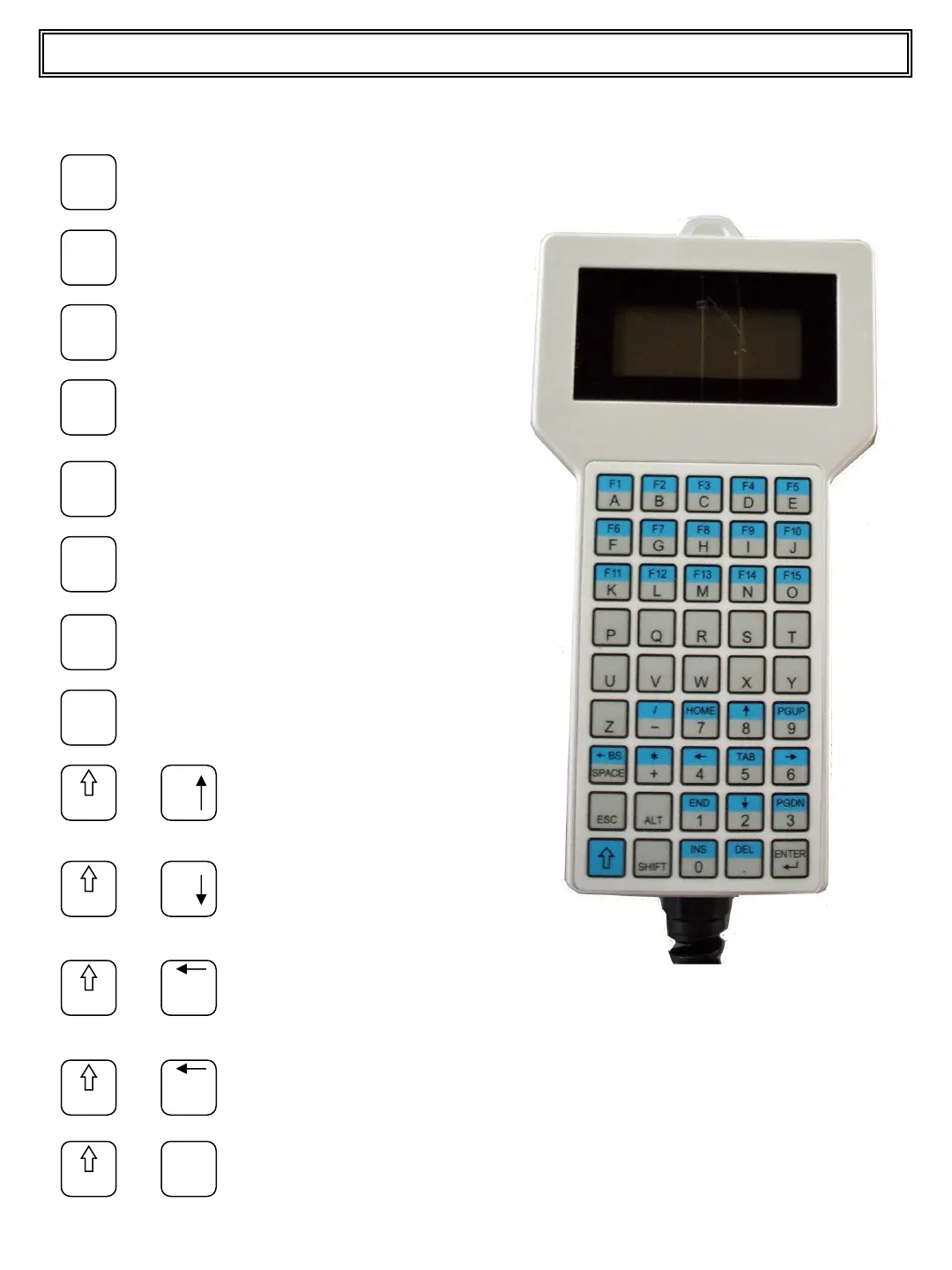
Press the C key to access the
set customers menu
Press the M key to access the
set materials menu
Press the P key to access the
set projects menu
Press the Esc key to quit the
function.
Press the Enter key to confirm
the function.
Space.
Shift
8
+
Press together to scroll the
cursor up
Shift
2
+
Press together to scroll the
cursor up
Shift
4
+
Press together to scroll the
page up
Shift
6
+
Press together to scroll the
page down
Shift
Home
7
+
Press together to access the
set name menu
30
N
O
Press the N key to access the
set truck No. menu
Press the O key to access the
set operator menu
HOW TO USE THE HAND HELD KEYPAD (OPTIONAL
)
Top Master User Manual


 To Next Page