1-15
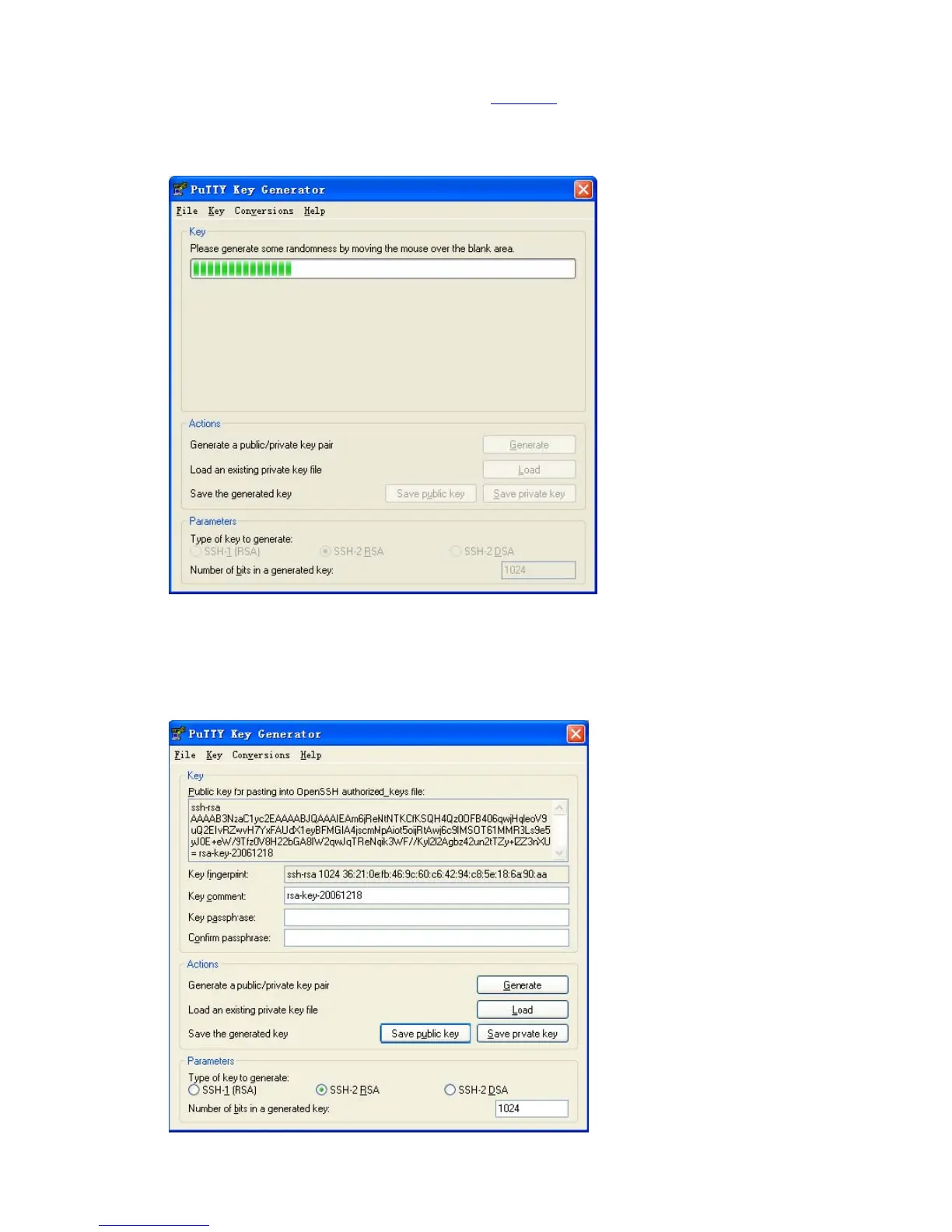
Note that while generating the key pair, you must move the mouse continuously and keep the mouse off
the green process bar in the blue box of shown in
Figure 1-4. Otherwise, the process bar stops moving
and the key pair generating process is stopped.
Figure 1-4 Generate the client keys (2)
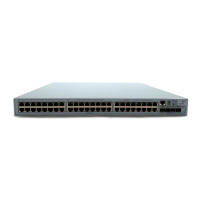
After the key pair is generated, click Save public key and enter the name of the file for saving the public
key (public in this case) to save the public key.
Figure 1-5 Generate the client keys (3)









 To Next Page