© 3M 2008. All Rights Reserved. 35
3M™ Digital Projector DX70i User Controls
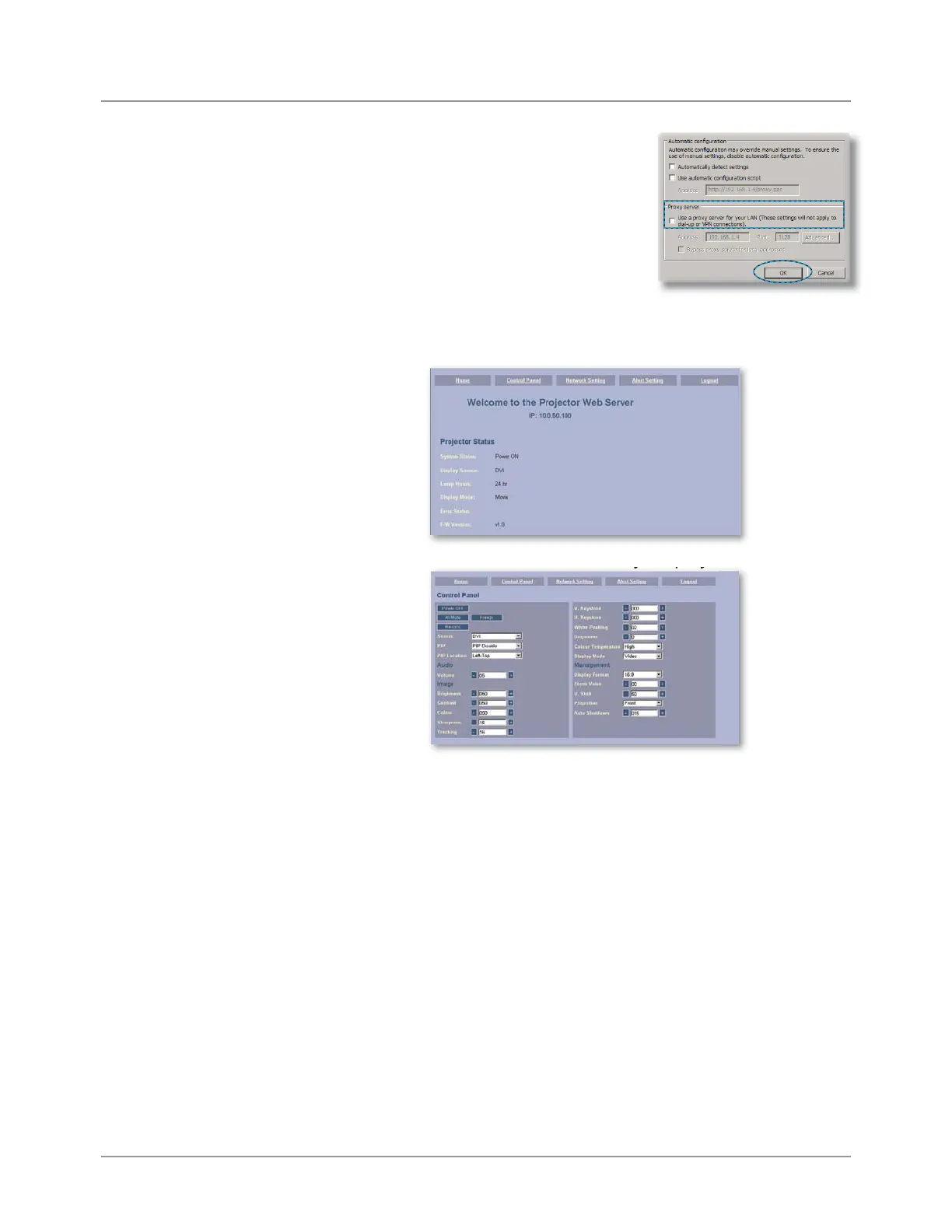
Step 7: The Local Area Network (LAN)
Setting dialog box appears, In
the Proxy Server area, cancel
the Use a proxy server for your
LAN check box., then click
“OK”
button twice.
Step 8: Open your IE and type in the IP address of 10.0.50.100 in
the URL then press “Enter” key. The web page will display
as below:
Step 9: Open “Control Panel” to control your projector.



 To Next Page