EasyManua.ls Logo

3M Ranger 247 - Service Manual

3M Ranger 247
22 pages
Print Icon
To Next Page IconTo Next Page
Loading...
3
Ranger
Model 245
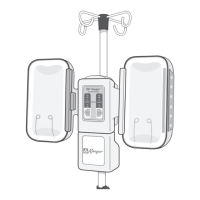
Blood/Fluid Warming System
For I.V. Use
3
Ranger
Model 247
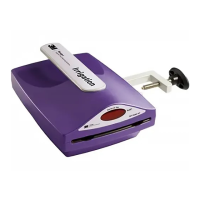
Irrigation Fluid Warming System
Not for I.V. Use
1  Model 245 • Blood/Fluid Warming System
• For I.V. Use
1  Model 247 • Irrigation Fluid Warming System
• Not for I.V. Use
3  Modell 245 • Blut- und Infusionswärmesystem
• Für intravenöse Anwendungen
3  Modell 247 • Slflüssigkeit-Erwärmungssystem
• Nicht zum intravenösen Gebrauch
2  Modèle 245 • Système de réchauffement de
sang/soluté • Pour perfusion I.V
2  Modèle 247 • Système de réchauffement de liquide
d’irrigation • Ne pas utiliser pour une perfusion I.V
Service Manual 2
Manuel dentretien 23
Service-Handbuch 45

Other manuals for 3M Ranger 247

Questions and Answers

  • P
    Paula Brown DDSSep 23, 2025
    What does 'Er 4' or 'Open' mean on my 3M Laboratory Equipment?
    • G
      Guy BrooksSep 23, 2025
      If the alphanumeric display reads 'Er 4' or 'Open' on your 3M Laboratory Equipment, it indicates an open wire on the temperature sensor. Do not use the unit.
  • A
    Anthony GillAug 25, 2025
    What to do if my 3M Ranger 247 Medical Equipment warming unit alerts after being turned off?
    • H
      hahncarolAug 25, 2025
      If the warming unit continues to sound alerts even after being turned off, it means the independent backup safety system has been activated. To stop the alerts, unplug the unit. Call 3M Patient Warming technical support.
  • J
    Jason BuckAug 25, 2025
    What to do if nothing illuminates on the 3M Ranger 247 Medical Equipment warming unit panel?
    • M
      Miguel BaldwinAug 26, 2025
      If nothing illuminates on the warming unit panel, first ensure the unit is turned on and properly plugged into both the power entry module and a grounded outlet. If the issue persists, call 3M Patient Warming technical support.
  • M
    Matthew JensenAug 27, 2025
    What to do if the 3M Ranger 247 Medical Equipment warming unit alerts soon after plugging it in?
    • W
      williamstiffanyAug 27, 2025
      If the unit alerts shortly after being plugged in, check the test screw on the bottom of the unit. Ensure it is completely tightened. If the screw is missing, turn off and unplug the unit. Call 3M Patient Warming technical support.
  • Y
    ynortonSep 23, 2025
    What does 'Er 5' or 'Open' mean on my 3M Laboratory Equipment?
    • I
      iconwaySep 23, 2025
      If the alphanumeric display reads 'Er 5' or 'Open' on your 3M Laboratory Equipment, it indicates electrical interference. Remove the unit.
  • P
    Pamela FletcherSep 13, 2025
    What to do if my 3M Laboratory Equipment shows a 'HI' temperature alarm?
    • K
      Kevin HillSep 13, 2025
      If your 3M Laboratory Equipment displays a 'HI' temperature alarm, it could be due to a change in flow rates, the unit reaching the set point before cassette insertion, or pre-warmed fluids. To resolve this: * Open the flow to reduce the temperature, the alarms should stop when the display reads 41°C and the unit is ready to use. * In case of prewarmed fluids, turn off the unit and discontinue infusion. Do not warm fluids before infusing them through the Ranger unit.
  • M
    Megan MasonSep 12, 2025
    What to do if 3M Ranger 247 Medical Equipment alphanumeric display reads “Er 4” or “Open.”?
    • P
      Pamela BakerSep 12, 2025
      If the alphanumeric display on your 3M Medical Equipment reads “Er 4” or “Open,” it indicates an open wire on the temperature sensor. Do not use the unit.
  • J
    Joseph MarshSep 12, 2025
    How to fix a 3M Laboratory Equipment warming unit when nothing illuminates on the panel?
    • H
      halllarrySep 12, 2025
      If nothing illuminates on the warming unit panel, first, ensure the unit is turned on and properly plugged into both the power entry module and a grounded outlet. Then check the fuses. If the issue persists, it may indicate a unit failure.
  • D
    Daniel PerezSep 4, 2025
    What to do if 3M Ranger 247 alerts sound, alphanumeric display and alert indicator light go dark?
    • C
      christopher58Sep 4, 2025
      If the alert sounds, the alphanumeric display and alert indicator light go dark on your 3M Medical Equipment, this indicates a primary controller failure, and the unit will no longer operate. Turn the unit off and unplug it. Discontinue use of the unit and discard the warming set. Note that the alert will continue to sound if you do not unplug the unit.
  • J
    Jesus WhiteSep 1, 2025
    What to do if 3M Medical Equipment warming unit shows high temperature alert?
    • N
      nandersonSep 2, 2025
      If the 3M Medical Equipment warming unit's alphanumeric display flashes a temperature of 43°C (Model 245) or 48°C (Model 247) or higher, along with the word “HI,” and the alert indicator illuminates with a sound, consider these possibilities: * If an extreme change in flow rates occurred, open the flow to reduce the temperature. The alerts will stop when the display reads 41°C, and the unit will be ready to use. * If the unit reached the set point temperature before the cassette was inserted, the alerts will stop when the display reads 41°C, making the unit ready for use. * If fluids were prewarmed above 42°C, turn off the unit, discontinue the infusion, and avoid prewarming fluids before using the Ranger warming unit.

Summary

Technical Service and Support

Contact Information for Service

Details on contacting Arizant Healthcare for technical assistance and ordering.

System Setup and Functionality

Safety and Precautions

General Warnings and Cautions

Critical safety information, warnings, and cautions for operating the warming unit.

Product Description

Maintenance and Cleaning

Model 245 Preventative Maintenance

Model 245 Preventative Maintenance Procedure

Executing Model 245 Maintenance Checklist

Step-by-step instructions for performing the preventative maintenance on Model 245.

Model 245 Over-Temperature Testing

Testing Model 245 Alarm Points

Procedure for testing the Model 245 unit's over-temperature alarm set points.

Model 247 Preventative Maintenance

Model 247 Over-Temperature Testing

Testing Model 247 Alarm Points

Procedure for testing the Model 247 unit's over-temperature alarm set points.

Replacing the Power Fuse

Troubleshooting Guide

Troubleshooting Power and Alarm Issues

Solutions for common issues like no power, alarm sounds, or display problems.

Advanced Troubleshooting

Troubleshooting Unit Alarms and Errors

Addressing advanced issues such as unit alarms on power-up or error code display.

Technical Specifications

3M Ranger 247 Specifications

General IconGeneral
Brand3M
ModelRanger 247
CategoryMedical Equipment
LanguageEnglish

Related product manuals