EasyManua.ls Logo

3scort TD-BLE - User Manual

3scort TD-BLE
74 pages
Print Icon
To Next Page IconTo Next Page
Loading...
Escort TD-BLE User Manual
by tech support
Table of contents
Table of contents 1
TD-BLE design 3
Design of the 1st generation TD-BLE 3
Design of the 2nd generation TD-BLE 4
Connecting a sensor to a smartphone 5
Geolocation 5
Connecting sensor 6
Sensor’s main parameters and readings 8
Sensor calibration 9
CNT. What happens when you calibrate the sensor 9
How to and why calibrate sensors? 13
Calibration without fuel 16
When and how to select the 1024 or 4096 range? 18
How to check if the sensor is properly calibrated? 19
Tank preparation 20
Why must the sensor be installed in the geometric center of the tank? 23
Sensor adjustment 24
Tank calibration 27
What to do if the tank cannot be emptied completely? 38
Calibrating tanks with complex shapes 41
What to do if the tank cannot be filled completely? 44
How many portions to add? 45
Filtration 46
1
Question and Answer IconNeed help?

Do you have a question about the 3scort TD-BLE and is the answer not in the manual?

Overview

The Escort TD-BLE is a fuel level sensor designed for various applications, including stationary storage units, trucks, agricultural machinery, and heavy machinery. It utilizes Bluetooth Low Energy (BLE) technology for communication with smartphones and other compatible devices, allowing for configuration, calibration, and data retrieval via the "Escort Configurator" app available on iOS and Android.

Function Description

The primary function of the TD-BLE sensor is to measure fuel levels in tanks and transmit this data wirelessly. It provides "raw" readings (Current Level or CNT) which are then compared against Empty and Full calibration values to display the fuel level. The sensor can be calibrated to output readings in a range from 1 to 1023 or 1 to 4095, depending on the sensor's length and application. For tanks with complex shapes or where complete emptying/filling is not possible, the sensor supports detailed tank calibration to create a level-to-liters (or gallons) table, ensuring accurate volume reporting. This calibration table can be stored in the sensor's memory or uploaded to a monitoring platform.

Important Technical Specifications

  • Measurement Range: The sensor offers two measurement ranges: 1 to 1023 (recommended for sensors shorter than 500 mm) and 1 to 4095 (recommended for all other cases).
  • Battery: The sensor is battery-powered, with a fully charged battery indicating 3.5V or more. A voltage of 3.2V or lower suggests a discharged battery that needs replacement.
  • Calibration Table Storage: The internal memory of the TD-BLE sensor can store a tank calibration table of up to 50 rows.
  • Filtration Levels: The sensor supports adjustable filtration levels (0-10) to reduce the impact of fuel sloshing on readings, with recommendations varying based on vehicle type and terrain.
  • Tube Length: The minimum length of the sensor tubes must not be less than 15 cm (150 mm), and the maximum length can reach 6 m. The optimal length is calculated as L = H - 15 mm, where H is the tank's height.
  • Mounting Dimensions: The sensor requires a ø 30-35 mm bimetallic hole saw for installation and a ø 4.8 mm drill for self-tapping screws. The mounting flange has 4 holes for self-tapping screws (Ø5.5) with specific dimensions (44x22 mm between holes, Ø35 mm center).

Usage Features

  • App-based Configuration: All configuration, calibration, and tank calibration procedures are performed using the Escort Configurator app.
  • Geolocation and Bluetooth: The app requires access to the smartphone's geolocation and activated Bluetooth to connect with the sensor.
  • Sensor Connection: Sensors can be found by their serial number (last 6 digits) or by tapping on them in the app's list.
  • Sensor Calibration: After cutting or extending the sensor tubes, recalibration is necessary to set new Full and Empty values. This can be done with or without fuel. For calibration with fuel, the tubes are filled and emptied, and the corresponding CNT values are recorded. For calibration without fuel, the tubes must be empty, and the "Calibrate without fuel" option is used.
  • Range Selection: Users can select between the 1024 or 4096 measurement range in the Settings menu, applying the change by tapping "Set parameters."
  • Tank Preparation: Before installation, the tank must be emptied, cleaned, and any fuel vapors removed (e.g., by boiling water and administering vapor).
  • Sensor Installation: The sensor should be installed in the geometric center of the tank, coinciding with the highest point, to minimize oscillations from fuel sloshing. If a central installation is not possible, two sensors at opposite ends of the tank can compensate for surges and drops.
  • Sensor Adjustment: The sensor's tubes must be adjusted to the tank's height. Cutting requires a metal hacksaw and careful removal of metal shavings. Extending involves using a collet coupling and extra tubes.
  • Tank Calibration: This process involves filling the tank portion-by-portion and recording the level-to-liters correlation. The "Tank calibration mode" in the app measures the level every 5 seconds for 30 minutes. The method can be "Filling" (recommended for accuracy) or "Draining." Users define the portion volume (e.g., 10 liters per portion). For tanks with complex shapes, portion volumes can be reduced when the fuel level reaches a peculiarity in the tank's shape and then increased again.
  • Manual Table Editing: If the tank cannot be completely emptied or filled, the calibration table can be manually edited in the app or the .csv file before uploading to a platform.
  • Filtration: Filtration levels can be adjusted in the Settings menu to smooth out readings, with higher levels recommended for shorter sensors, sensors close to tank walls, or rough terrains.
  • Black Box: The sensor records data in a black box. The app allows synchronization of the black box time with the smartphone's time, selection of data periods (days/hours), and downloading or deleting records.
  • Additional Features: The "Additional Features" menu allows setting/changing passwords, disabling thermal compensation (only if another algorithm is used), and activating data encryption (only with compatible trackers/adapters). Manual input of Full and Empty calibration values is possible but not recommended due to increased error margin.
  • Recalculate in Liters: This feature allows the sensor to output readings directly in liters or gallons. Users can manually input data or import a tank calibration table.

Maintenance Features

  • Battery Replacement:
    • 1st Generation TD-BLE: Requires removing screws and the lid, cutting the upper layer of sealant, and replacing the battery.
    • 2nd Generation TD-BLE: Involves taking off the protecting cap with a screwdriver, unscrewing self-tapping screws from the battery holder, carefully extracting the litol (sealant), and replacing the battery. The Saft LS17500 battery model can also be used. After replacement, the battery holder's cavity should be refilled with litol.
  • Troubleshooting (Sensor Not Connecting/Detected):
    • Ensure the sensor is not connected to another smartphone.
    • Verify geolocation and Bluetooth are activated on the smartphone, and the app has access to geolocation.
    • Check if the sensor is detected in the nRF Connect app.
    • Loosen the screws holding the sensor in the tank.
    • Remove the battery, check its voltage (3.2V or higher), and reinsert it.
    • If the sensor connects after battery reinsertion, seal the battery with non-acidic automotive sealant and close the sensor's head.
  • Troubleshooting (Level Reading Doesn't Change):
    • Check if the "Recalculate in liters" option is activated and if a calibration table is uploaded.
    • Recalibrate the sensor if its CNT is below the Empty calibration value.
    • Ensure drainage holes are not covered, preventing air from trapping inside the tubes.
  • Troubleshooting (Level 7000 - Short Circuit):
    • Indicates dirt, water, metal shavings, or admixtures in the sensor's tubes.
    • Clean the tubes (preferably with compressed air through the drainage hole), clean the tank, and replace the fuel if necessary.
  • Troubleshooting (Level 6500 - Tube Disconnection):
    • Recalibrate the sensor.
    • If recalibration doesn't help, check the CNT value. If it's below 10,000, the tubes are likely disconnected from the sensor's head. Contact support with photos of the sensor head, tubes, and screenshots of the main screen and Settings menu.
  • Sealing the Sensor:
    • Old-type TD-BLE: Drive a wire through fitting holes, then through the seal itself, and tighten it around the sensor's cap.
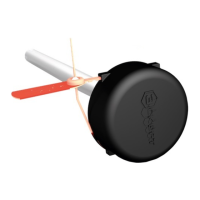
    • Current-type TD-BLE: Mount the protecting cap, then fully insert the seal into the designated hole, ensuring the covered end is outside. To remove, use a special key or self-tapping screw to pull it out, which will damage the seal, providing additional protection against tampering.
  • Self-Tapping Screws: Ensure self-tapping screws are tightened correctly (not under-driven or over-driven) during installation.

3scort TD-BLE Specifications

General IconGeneral
Brand3scort
ModelTD-BLE
CategoryAccessories
LanguageEnglish