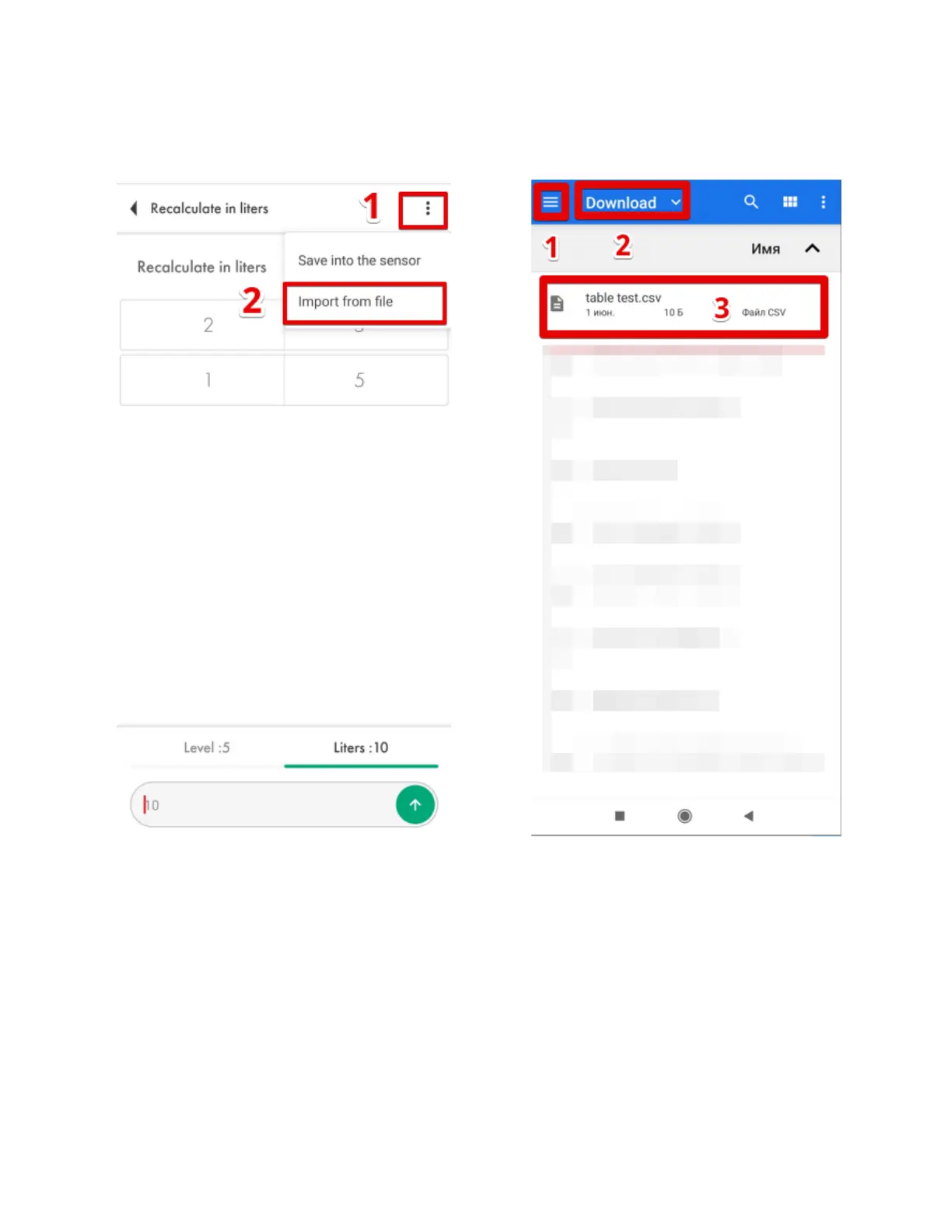
To import the table from a .csv file you created doing the tank calibration, press on the three
dots icon (Fig. 84, 1) and then tap on the Import from file option (Fig. 84, 2. After that, find the file
with the table on your smartphone and tap on it (Fig. 85).
Be sure to save the imported into the sensor as shown on Figure 83.
Common issues and how to resolve them
The level reading doesn’t change


 To Next Page