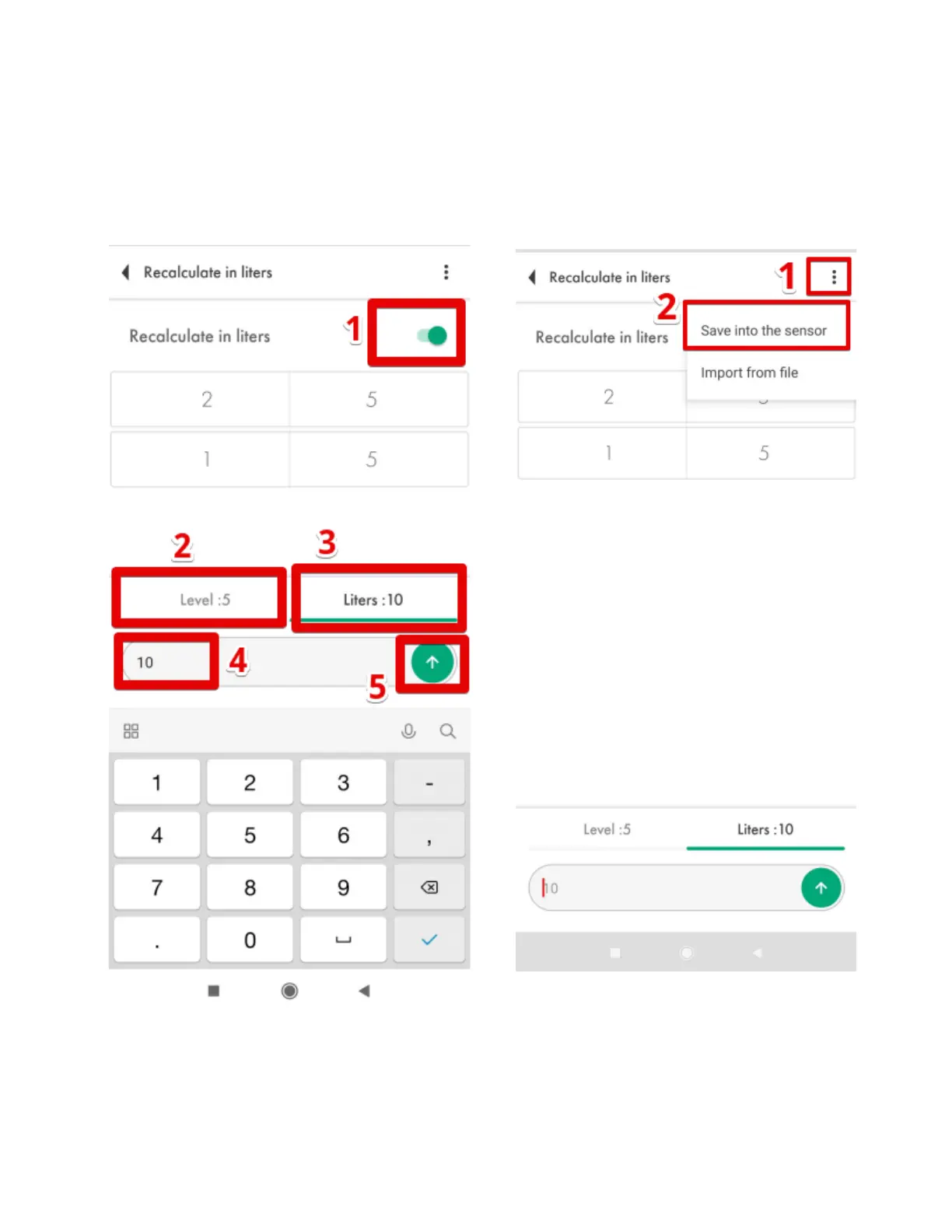
To create the table manually, select the Level (Fig. 82, 2) or Liters (Fig. 82, 3) - these could be
gallons or any other volume measurement units - and enter the value (Fig. 82, 4) and tap on the
arrow button (Fig. 82, 5). Then press on the three dots icon (Fig. 83, 1) and then tap on the Save into
the sensor option (Fig. 83, 2).
Fig. 82 Manual input of the table


 To Next Page