Connecting sensor
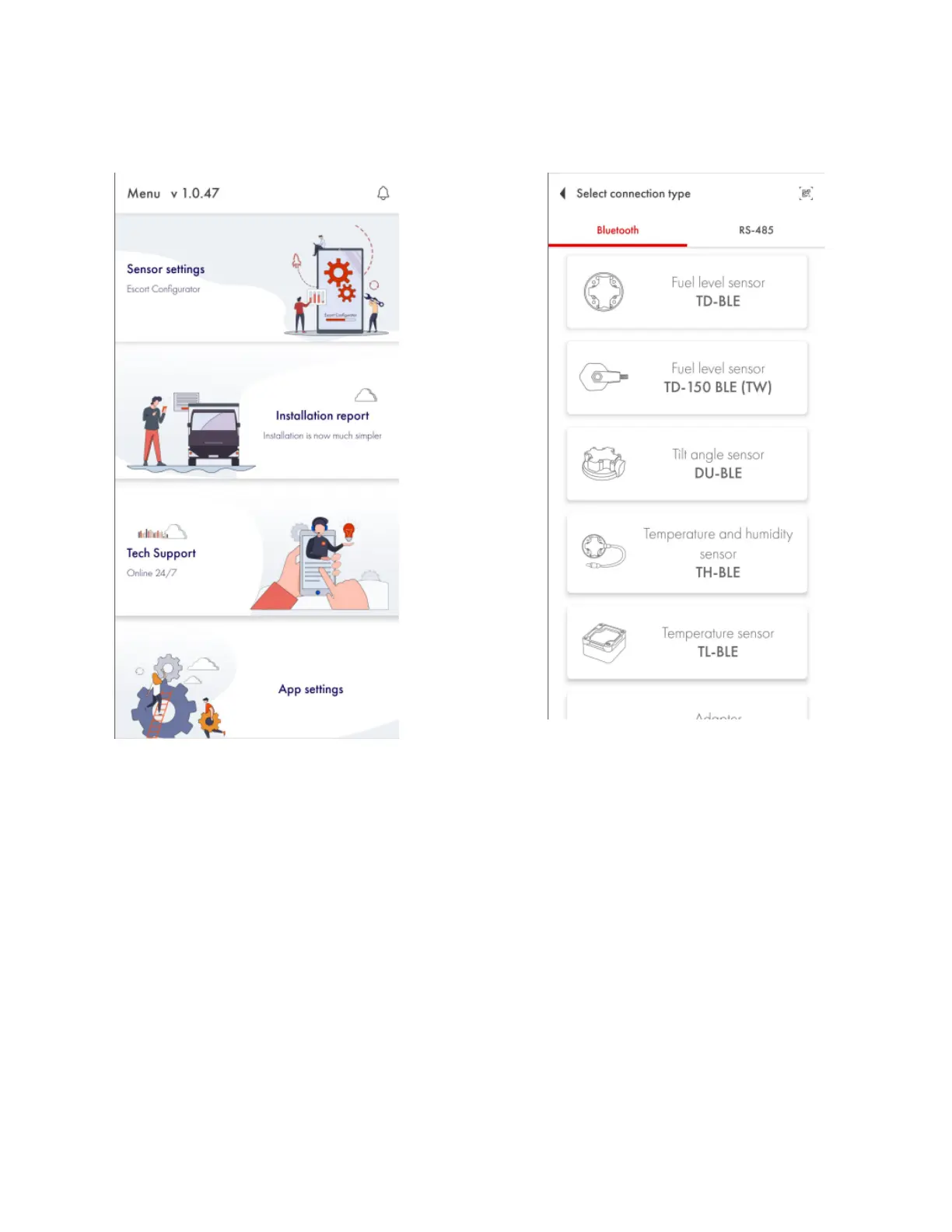
Tap on the Sensor settings button. Next, select TD-BLE.
Fig. 3 Connection and sensor type
Search for a particular sensor by introducing the last 6 digits of its serial number. The serial
number can be found on the sensor’s head.
Or simply find the sensor you need on the list and tap on the Connect button. When using an
Android device, you can also tap on the sensor itself to open the dropdown menu displaying the
data received in the advertising mode.


 To Next Page