Command Line Interface
The Aprisa SR+ has a Command Line Interface (CLI) which provides basic product setup and configuration.
This interface can be accessed via an Ethernet Port (RJ-45) or the Management Port (USB micro type B).
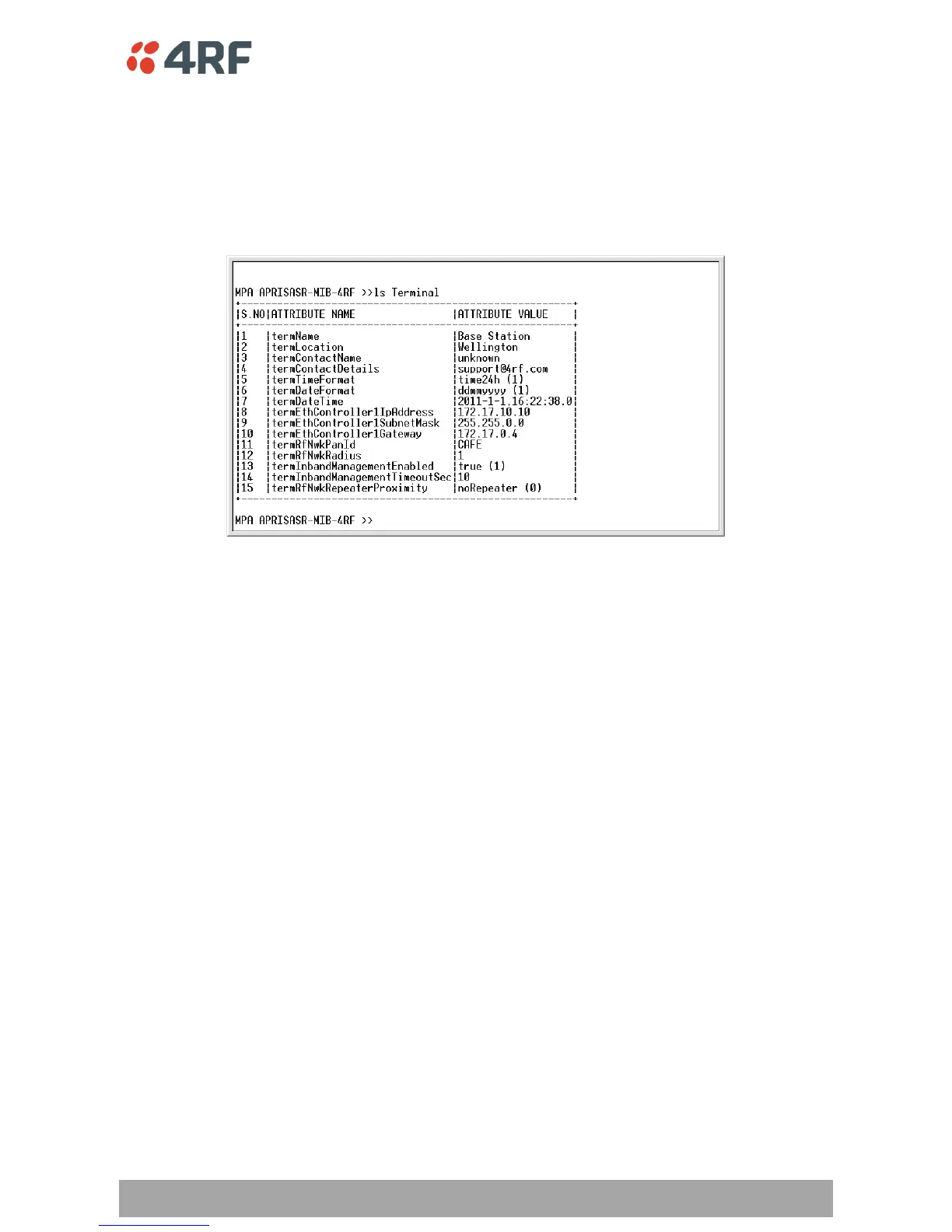
The Terminal menu is shown in the following picture:
SNMP
In addition to web-based management (SuperVisor) and the Command Line Interface, the Aprisa SR
network can also be managed using the Simple Network Management Protocol (SNMP). MIB files are
supplied, and these can be used by a dedicated SNMP Manager, such as Castle Rock’s SNMPc, to access
most of the radio’s configurable parameters.
For communication between the SNMP manager and the radio, Access Controls and Community strings
must be set up as described in the Aprisa SR+ User Manual .



 To Next Page