Single Radio Software Upgrade
During a radio software upgrade, the LEDs indicate the following conditions:
Software upgrade started - the OK LED flashes orange
Software upgrade progress indicated by running RX to OK LEDs
Software upgrade completed successfully - the OK LED solid orange
Software upgrade failed - any LED flashing red during the upgrade
Network Software Upgrade
During a network software upgrade, the AUX LED flashes orange on the base station and all remote
stations.
Test Mode
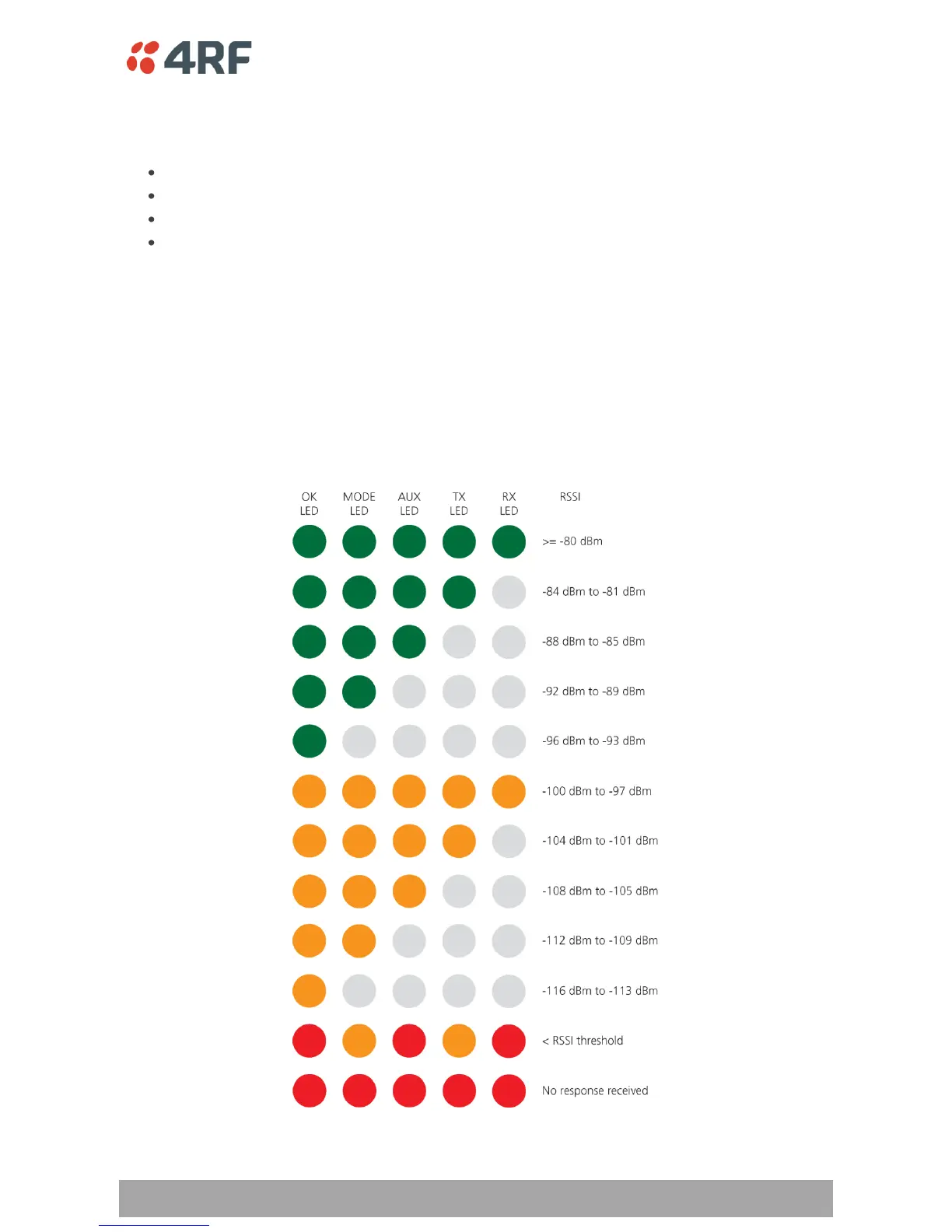
In Test Mode, the LED Display panel presents a real time visual display of the RSSI. This can be used to
adjust the antenna for optimum signal strength.



 To Next Page