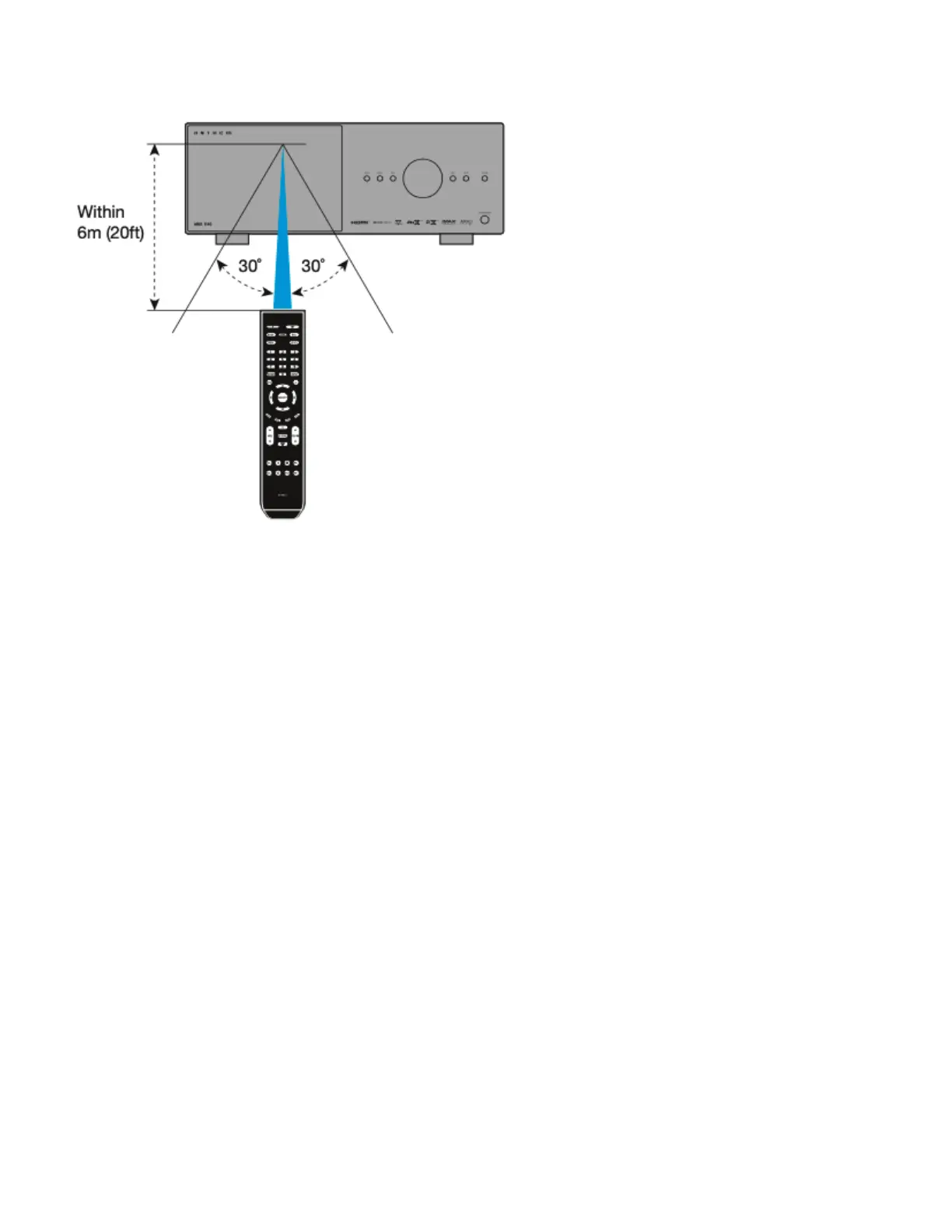
Remote Control Range of Operation:
The MRX/AVM remote control operates best when used within the range and distance shown in the illustration below.
Rear and Front IR Inputs:
If your remote control is not working and you have already checked the batteries, before contacting technical support,
check that Front IR is set to “On” in the Network / Control menu.
Anthem Remote Control App:
A remote control app is available for free to iOS and Android users. To use this app, download it from the Google Play
or Apple App Store, connect your MRX/AVM to the same network as your iOS/Android device, and launch the app.


 To Next Page