6.2 USING ARC WITH AN MRX/AVM
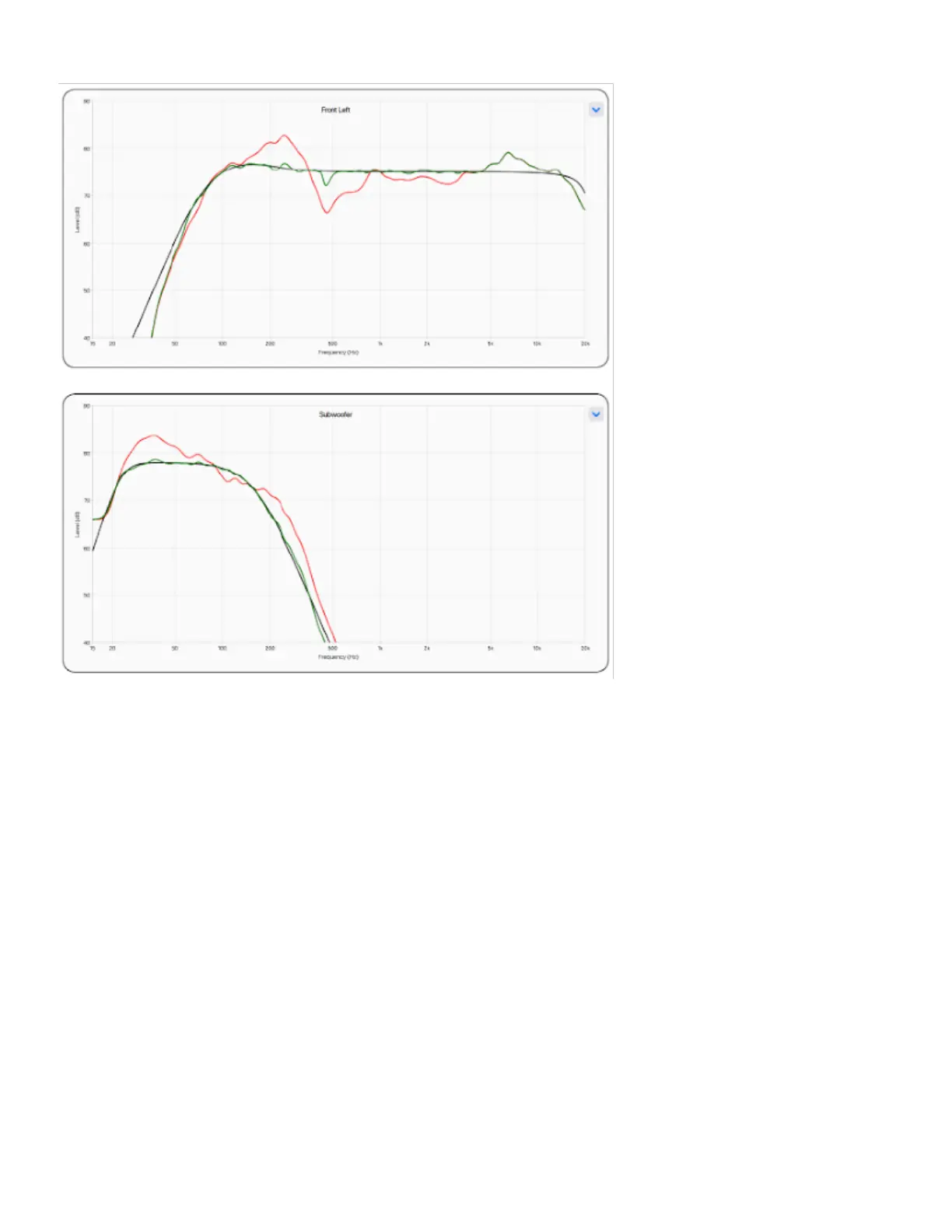
In addition to correcting the acoustic response of subs and speakers, ARC also:
Adjusts the left/right balance of the speakers.
Sets the crossover point between the speakers and subwoofer (do not manually change this after running ARC).
Adjust the subwoofer’s level relative to the speakers.
Adjust the subwoofer’s phase/polarity relative to the speakers.
Before using Anthem Room Correction:
Enable subwoofers (if applicable).
To use Anthem Room Correction:
Download and install the program from AnthemARC.com.
Start the program and select Launch ARC from the first screen.
Select the MRX or AVM from the device discovery screen.
Follow the on-screen instructions to measure the room, calculate correction curves, and upload them to the MRX or
AVM.
After uploading the corrections, run the Automatic Phase Adjustment tool from the Review Summary & Upload
screen. This tool sets the phase of a subwoofer to optimize its integration with the speakers.
•
•
•
•
•
1.
2.
3.
4.
5.


 To Next Page