GX-A Series/GF-A Series Communication Manual 32 / 41
By using the UFC (Universal Flex Coms) function, it is possible to arbitrarily output contents of
your choice when outputting the weighing data. You can also output a character string when
printing a barcode with a label printer or the like.
In order to use the UFC function, it must be set to internal setting (UFC function on).
To select the output format to use, send the program command from the PC and store it in the
balance. The stored output format is saved even when the balance is turned off.
How to create program commands
□ The maximum number of characters of a program command is 32 characters per line (including
the terminator) with the total maximum being 384.
□ First, add the PF, command.
□ Program commands are combined in comma-delimited or space-separated form, but they can be
omitted to reduce the number of characters. However, the comma after the PF command cannot
be omitted.
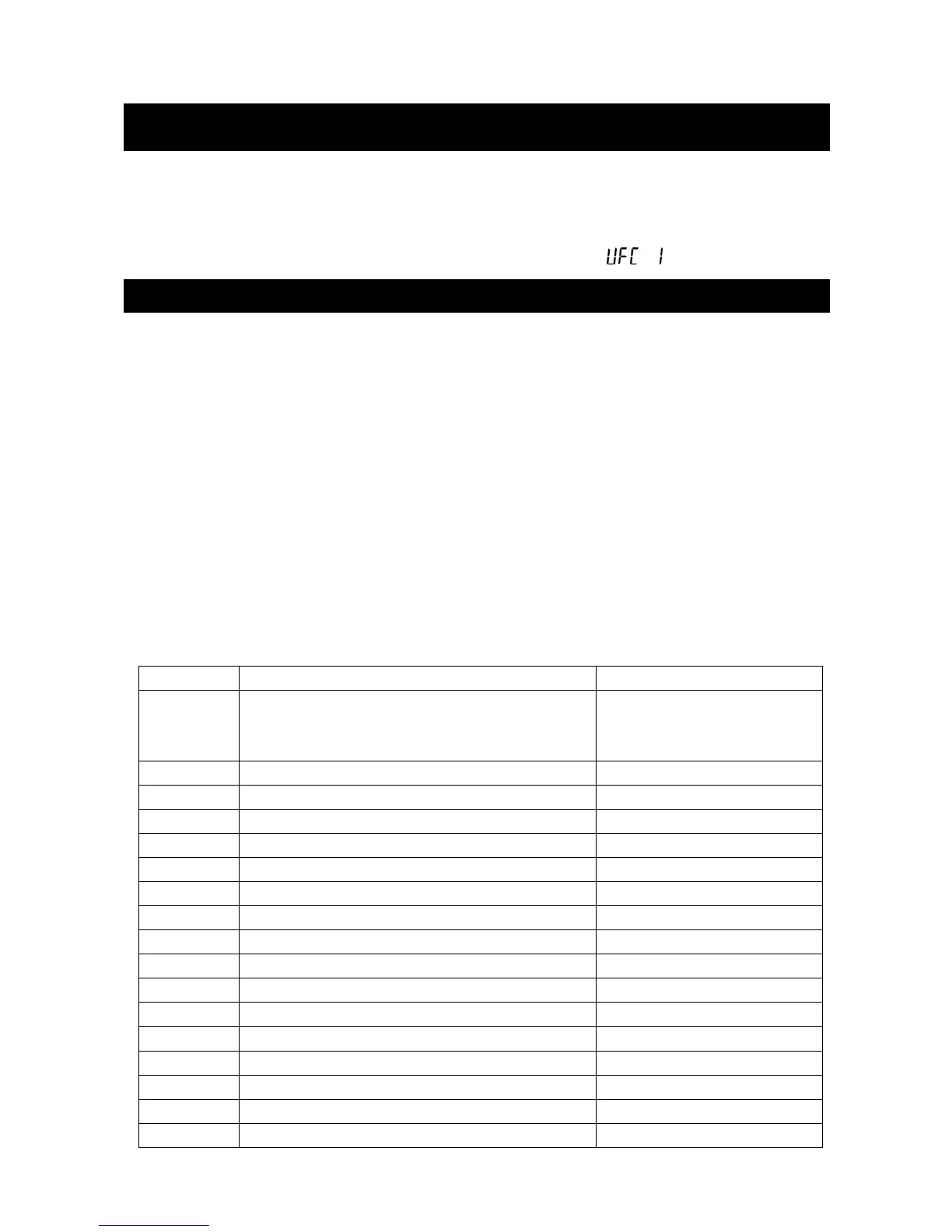
List of program commands
Command Contents Example of output
PF, UFC command header
It is appended to the beginning of the program
command.
$MN Manufacturer name A & D
$TY Model name GX-10002A
$SN Serial number T1010101
$ID ID number SAMPLE-1234-5
$DT Date 2017/01/23
$TM Time of Day 12:34:56
$WT Weight data +1234.56 g
$GR Gross data (total amount) +1234.56 g
$NT Net data (net) +234.56 g
$TR Tare data (tare) +1000.00 g
$PC Number data +1234 PC
$UW Single data +0.12 g
$CP Comparator result HI
$CM Comma ,
$SP Space
_(ASCII 20h code)
$CR <CR> ASCII 0Dh code
10. The UFC function
10-1. UFC program commands



 To Next Page