E-BUS Digital Room Sensor Technical Guide
APPENDIX
11
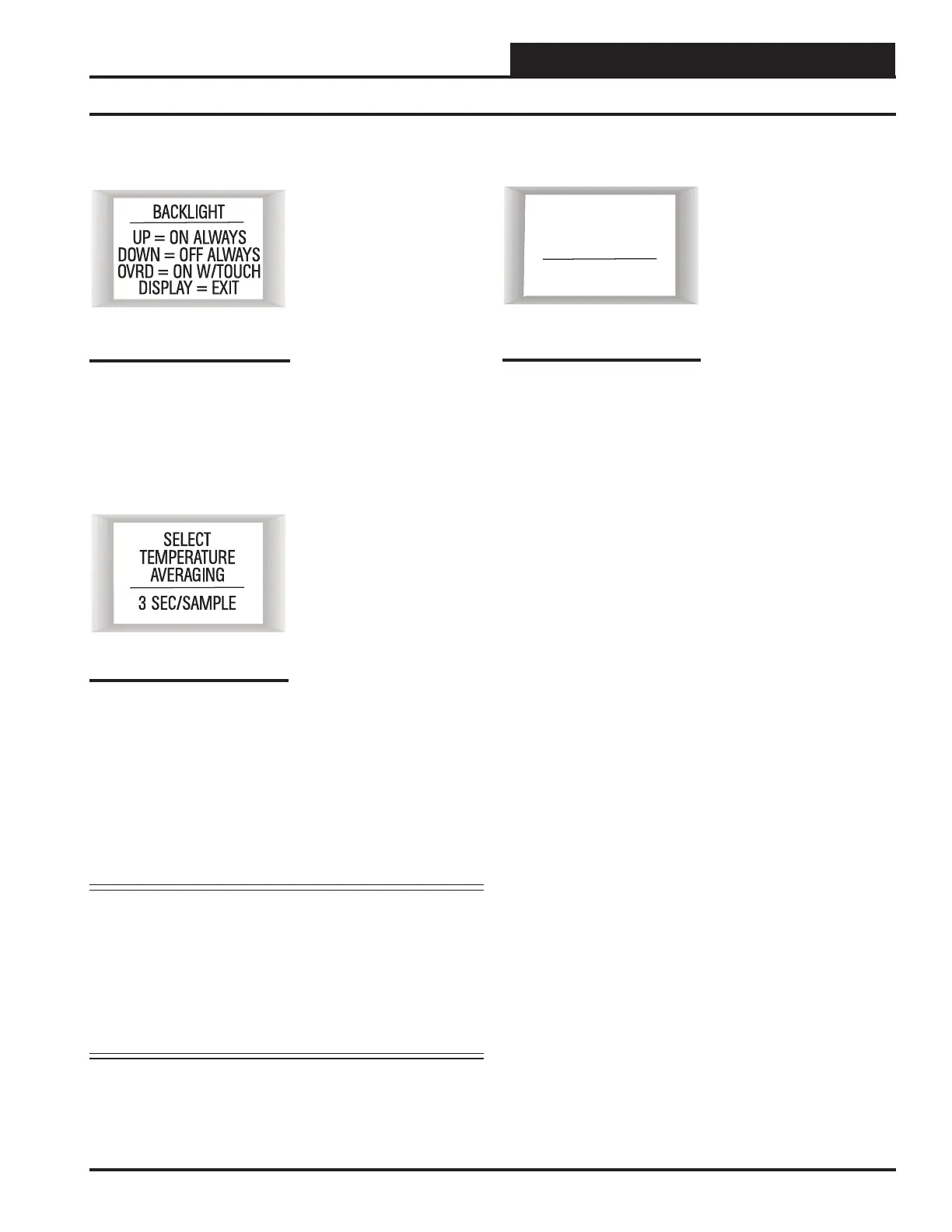
LCD Backlight Test Screens
To select the third option—
BACKLT—touch <Override>
while at the Sensor Confi guration
& Test Screen (Figure 12, page
10). This option allows you to
control when the LCD backlight
turns on and off . You can con-
fi gure the backlight to stay on at
all times, remain off at all times,
or to come on when any button
is touched on the sensor.
To exit this screen, touch <Dis-
play>.
Sensor Confi guration and Test Screens
Thermistor Averaging Screen
To select the fourth and fi nal op-
tion—THRM AVG—, while at
the Sensor Confi guration & Test
Screen (Figure 12, page 10),
touch simultaneously below the
<Display> and <Override>
buttons. (See Figure 11, page
10 which shows where to touch
to access this option.)
This option allows you to set the
rate—from 1-15 seconds—at
which the sensor takes a new
temperature reading. Touch <>
to increase the number of seconds
and touch <> to decrease the
number of seconds.
To exit this screen, touch <Dis-
play>.
NOTE: The sensor takes the average of the last 10 readings based
on the number that is entered in this screen. For example,
if you want a 3-second sample, the sensor will take the
average of the last 10 readings every 3 seconds over a
30-second span. Therefore, if you have your sensor next
to an outside doorway, you would want to enter a higher
number for your sample to give a more accurate read-
ing for the room temperature in case the outside door is
opened often.
Figure 15: Backlight Test
& Confi guration Screen
Figure 16: Temperature
Averaging Screen
Address Screen
To access the Address Screen,
while at the Thermistor Averag-
ing Screen, (Figure 16), touch the
<Override> button.
This option allows you to set the
address—from 1-10. Touch <>
to increase the number and touch
< > to decrease the number.
The default is 1.
To exit this screen, touch
<Display>.
Figure 17: Address
Screen
SENSOR
1
COMM
ADDRESS



 To Next Page