Photo Slideshow FAQ
How do I convert PPT to JPG?
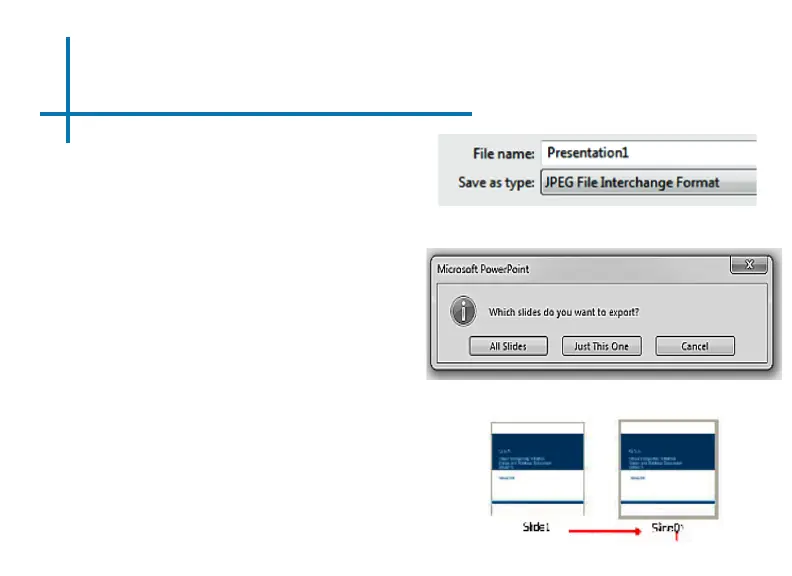
1. Open your presentation on your PC
or Mac.
2. Go to “Save As” and save your pre-
sentation as .JPG les.
3. Choose “All slides”.
4. *If you have more than 10 slides, you
must rename Slides 1-9 with a “0” in
front of it or the playback order will
be mixed up. If you have more than
100 slides you will need to use a “00”
format.
5. Copy the les either to a TF Card or
an USB drive.
6. Insert the TF Card or USB drive into
the projector.
7. View the slideshow under “PHOTOS”
30















 To Next Page