37
Changing position of channels in bouquet list
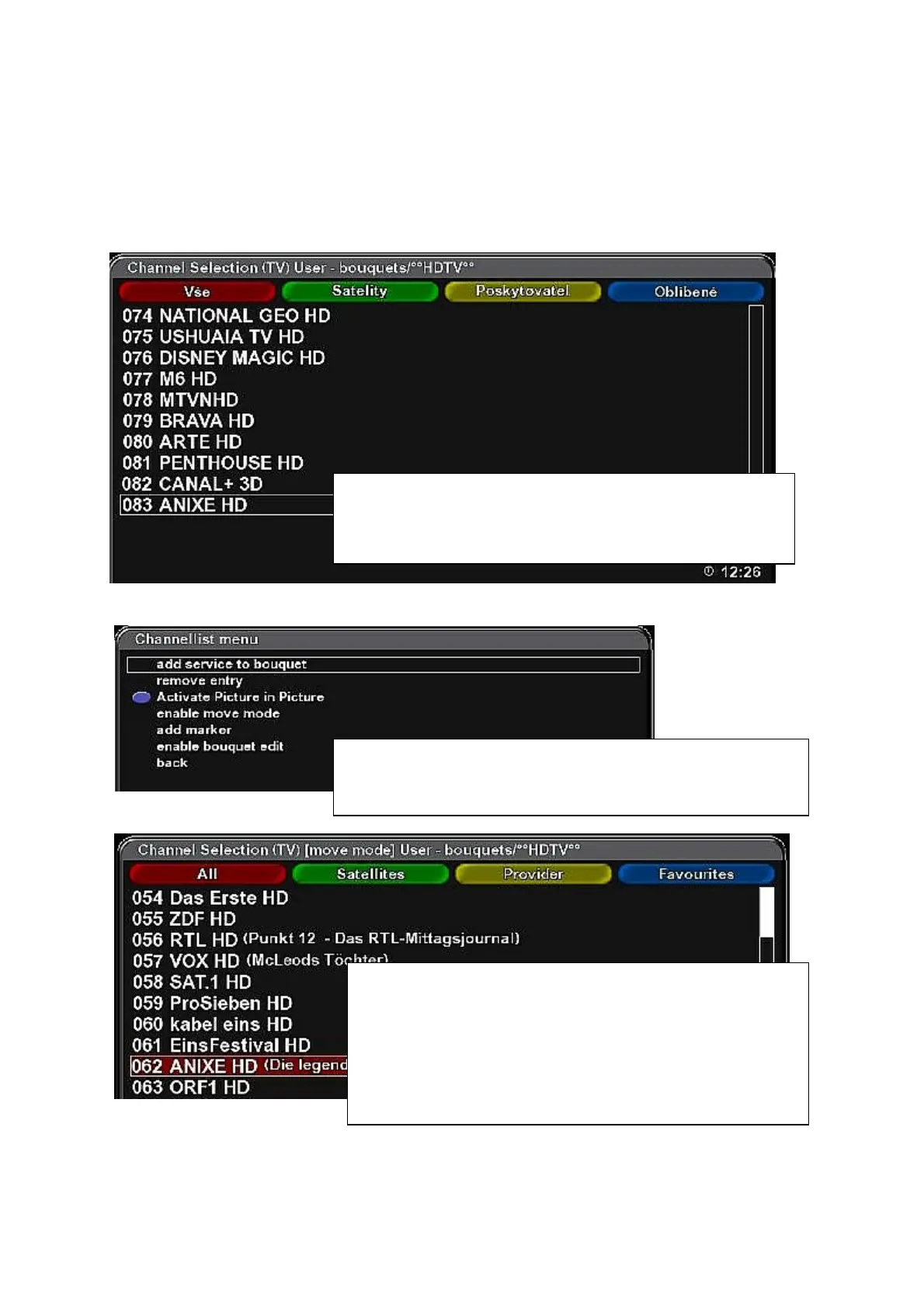
OK – Blue button – select a bouquet containing the channel you want to change position in the list –
OK. Select the channel to be moved.
(The list is always opened on the first channel of the list. Press cursor button Up once to jump on the
last channel in the list.)
Press MENU button.
Select „Channellist menu“ and press OK.
Select „enable move mode“ and press OK...
By pressing OK you return to the bouquet list – moving of
channels in the list is enabled.
Select the channel and press OK – the channel in the list is
highlighted.
Use Up/Down cursor buttons to move highlighted channel.
Select desired position in the list and press OK.
You can move channels in the list until the „enable move
mode“ item in „Channellist menu“ is active.
Press EXIT button to return to the last watched channel.



 To Next Page