36
Adding channels into „Favorite“ lists (bouquets)
These lists (bouquets) are used for common simple orientating among your favorite channels.
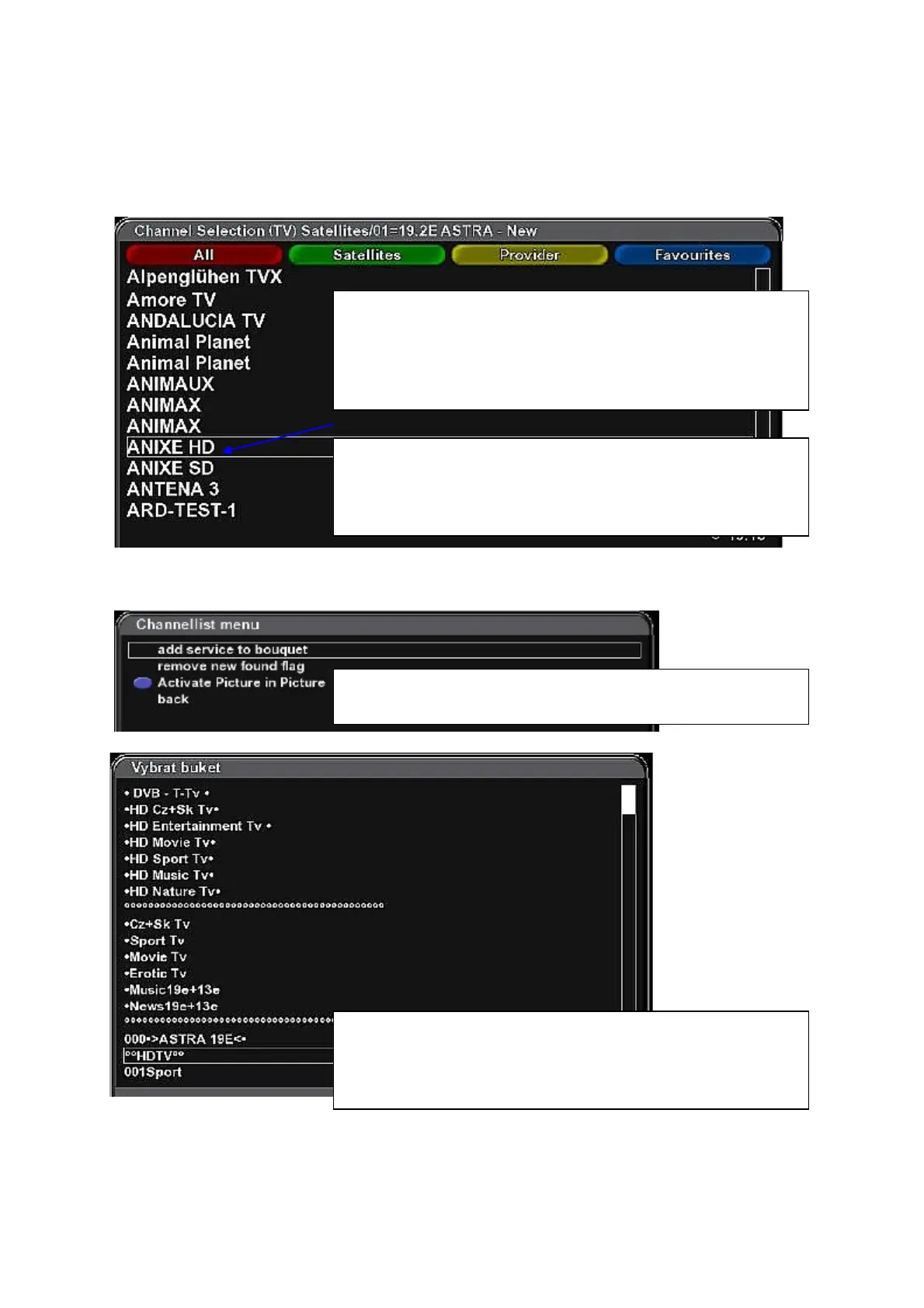
Select „New“ – new searched channels.
Channellist menu
Use cursor buttons to select the channel you want to add to
„Favorites“ list.
Press MENU button to open „Channellist menu“ menu…
Select „add service to bouquet“ and press OK.
„Select bouquet“ menu is displayed.
Use cursor buttons to select desired bouquet group you want to
add selected channel in and press OK.
The channel will be added at the end of the bouquet list.
Press EXIT to finish adding channels to bouquet list.
New searched channels are automatically added to „All“ list,
corresponding „Satellites“ and „Provider“ lists.
Press OK to open the channel list.
Use color function buttons to display corresponding list: All,
Satellites, Providers, Favourites.



 To Next Page