48
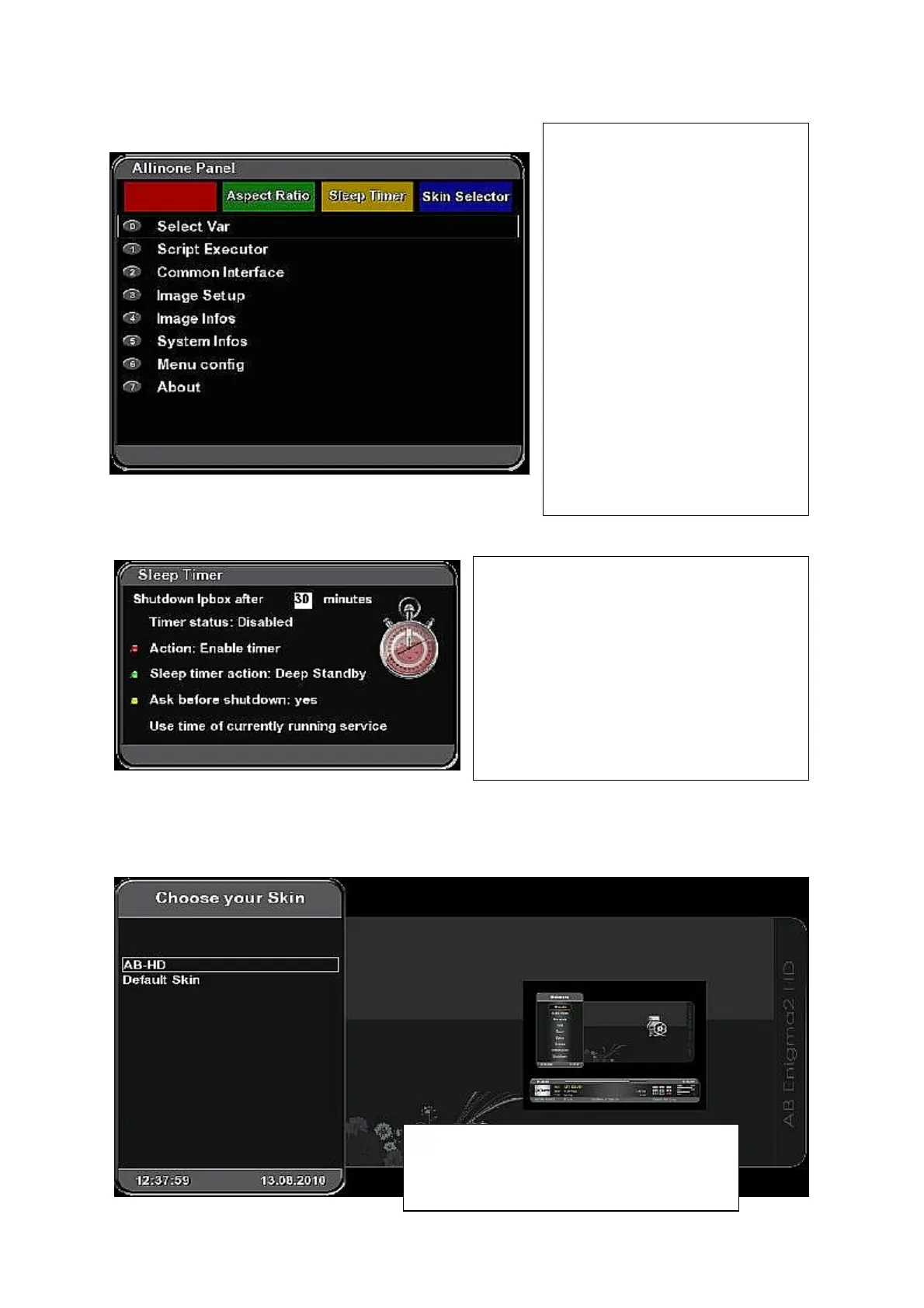
Allinone Panel
Sleep Timer
(Menu – Allinone Panel – Sleep Timer)
Skin Selector
(Menu – Allinone Panel – Skin Selector)
Aspect Ratio – consequently press
Green function button to adjust
Aspect Ratio for SD channel.
Direct changing the Aspect Ratio =
middle button on the second
bottom line of your remote
controller.
Sleep timer – press Yellow
unction button to activate menu for
setting up Sleep timer (automatic
shut down of your receiver after
elapsing a set time).
Skin Selector – press Blue
function button to display list of all
available (installed) skins. Use
cursor buttons to select desired
one.
Displays list of all available (installed) skins.
Use cursor buttons to select desired one.
You can see small overview on the right side
Use numeric buttons to set up „Shutdown
Ipbox after“ time in minutes.
Press Red function button to enable timer.
Consequently press Green function button to
set up Sleep timer mode (action).
Consequently press Yellow function button
to set up whether to ask before shutting down



 To Next Page