17
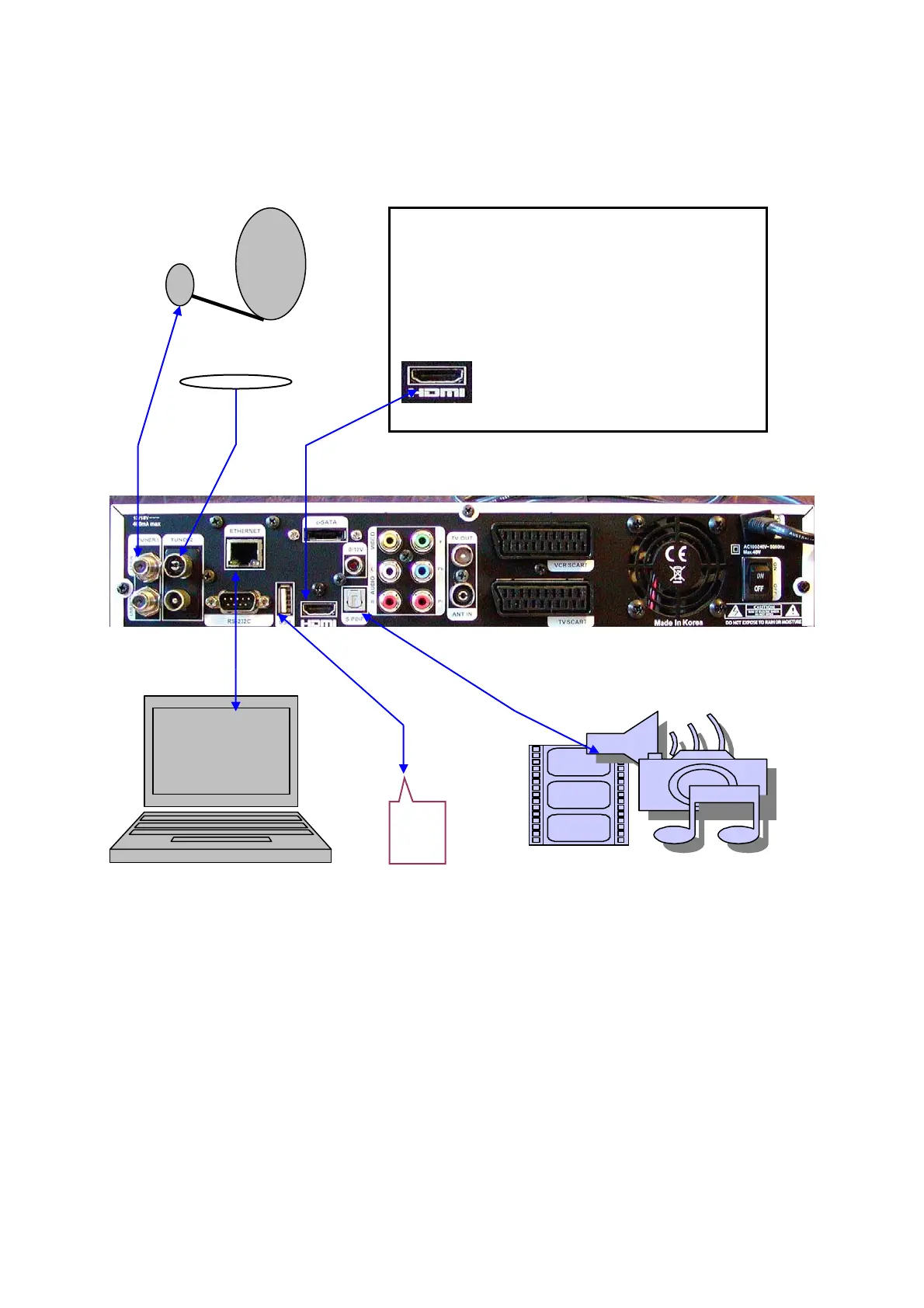
Examples of possible connection of AB IPBox HD receiver:
Example 1:
Basic connection for High Definition display:
- Connect your satellite dish to input LNB IN of DVB-S2 Tuner (1).
- If the receiver is equipped with second Tuner, connect output from corresponding antenna
dish to LNB IN (2) input (terrestrial antenna if it is DVB-T tuner or satellite antenna if it is
DVB-S2 tuner).
- Connect your TV to the receiver via HDMI cable (some older type of HD ready TVs may
not contain HDMI connector, in such a case use YPbPr connector).
- Connect your home cinema (A/V receiver) via digital optical S/PDIF output.
- Connect Ethernet output to your home network – if possible to the router.
- You can connect memory USB device with multimedia content to USB port.
TV
USB
flash



 To Next Page