29
Searching
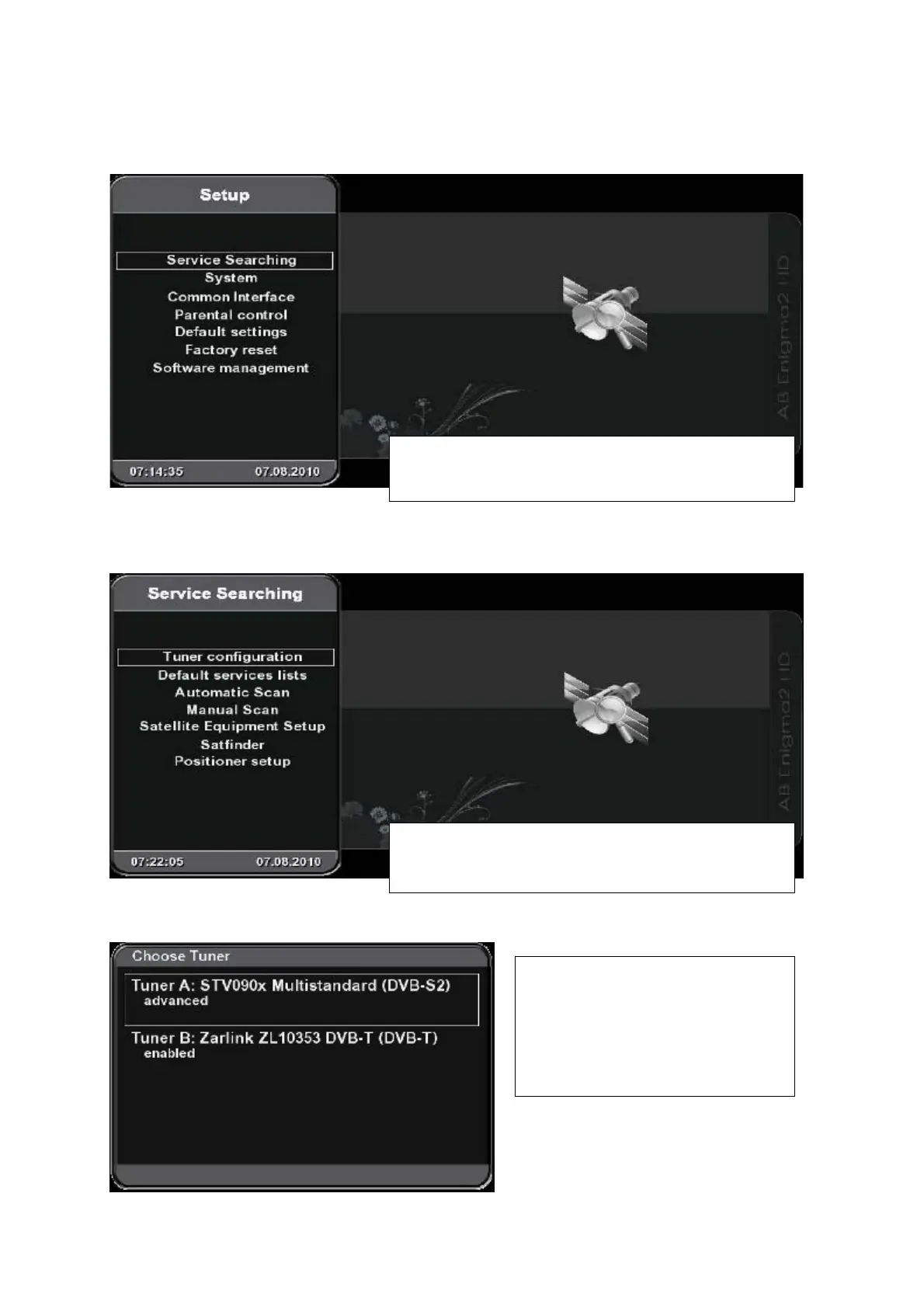
(Menu – Setup – Service Searching)
Tuner configuration
(Menu – Setup – Service Searching - Tuner configuration)
Choose Tuner
Select „Service Searching“ and press OK to display
„Tuner configuration“ menu.
If you use also Tuner 2 in your AB IPBox it must be
configurated separatelly.
Exam
le shows DVB-T tuner as Tuner 2.
Type and configuration of installed
tuners is displayed in this menu.
Select the tuner to be configured and
press OK.



 To Next Page