28
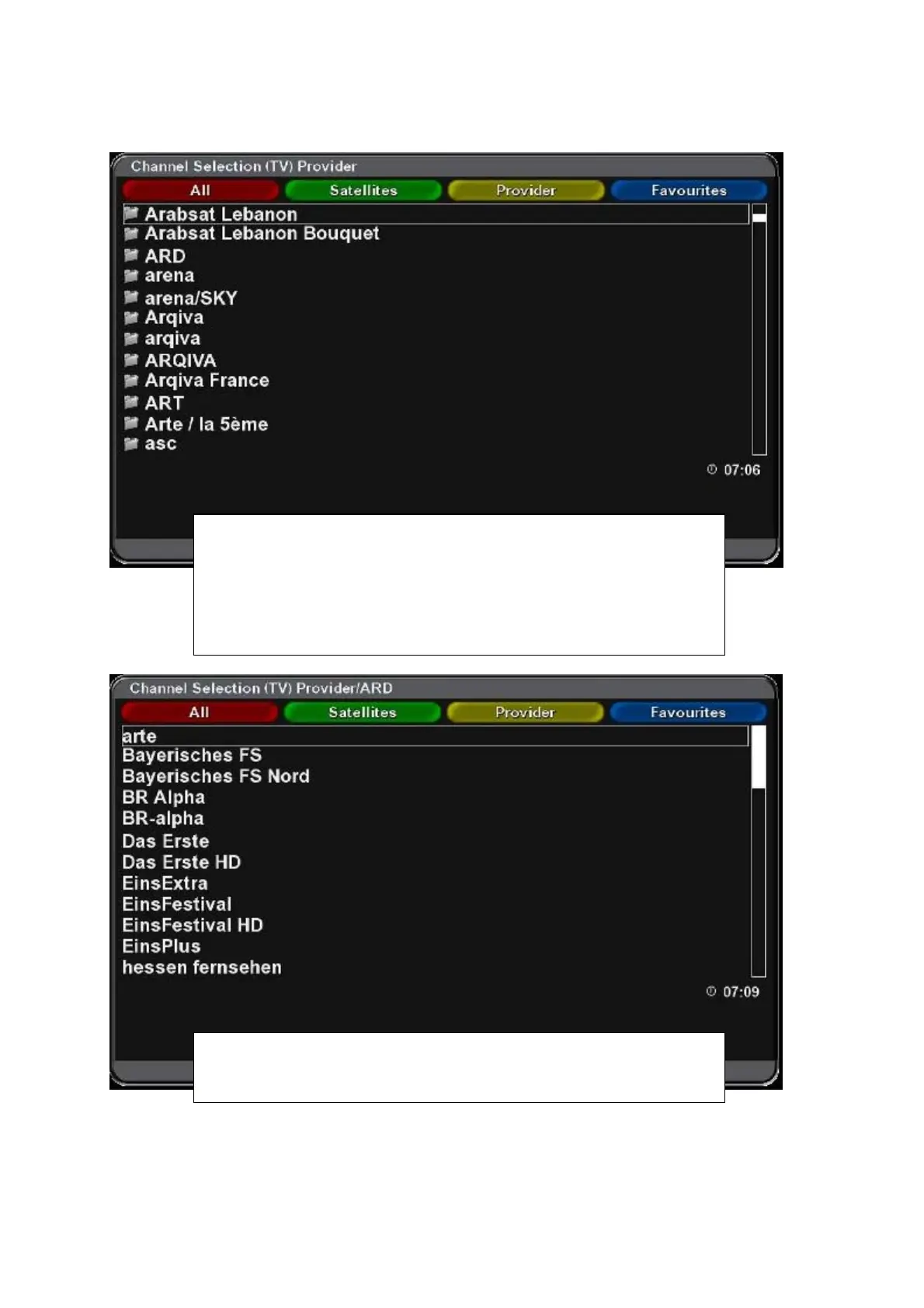
Selecting the channel from Provider list
Press OK to display list of channels. Press Yellow function button
(Provider) to display list of available providers. Use cursor buttons to
select desired group (e.g. Skylink) and press OK.
Names of providers and groups of channels are created automatically
during searching accordingto NIT parameters from satellite and can not
be changed.
Example of channels by ARD TV provider from Astra 19,2E satellite.



 To Next Page