40
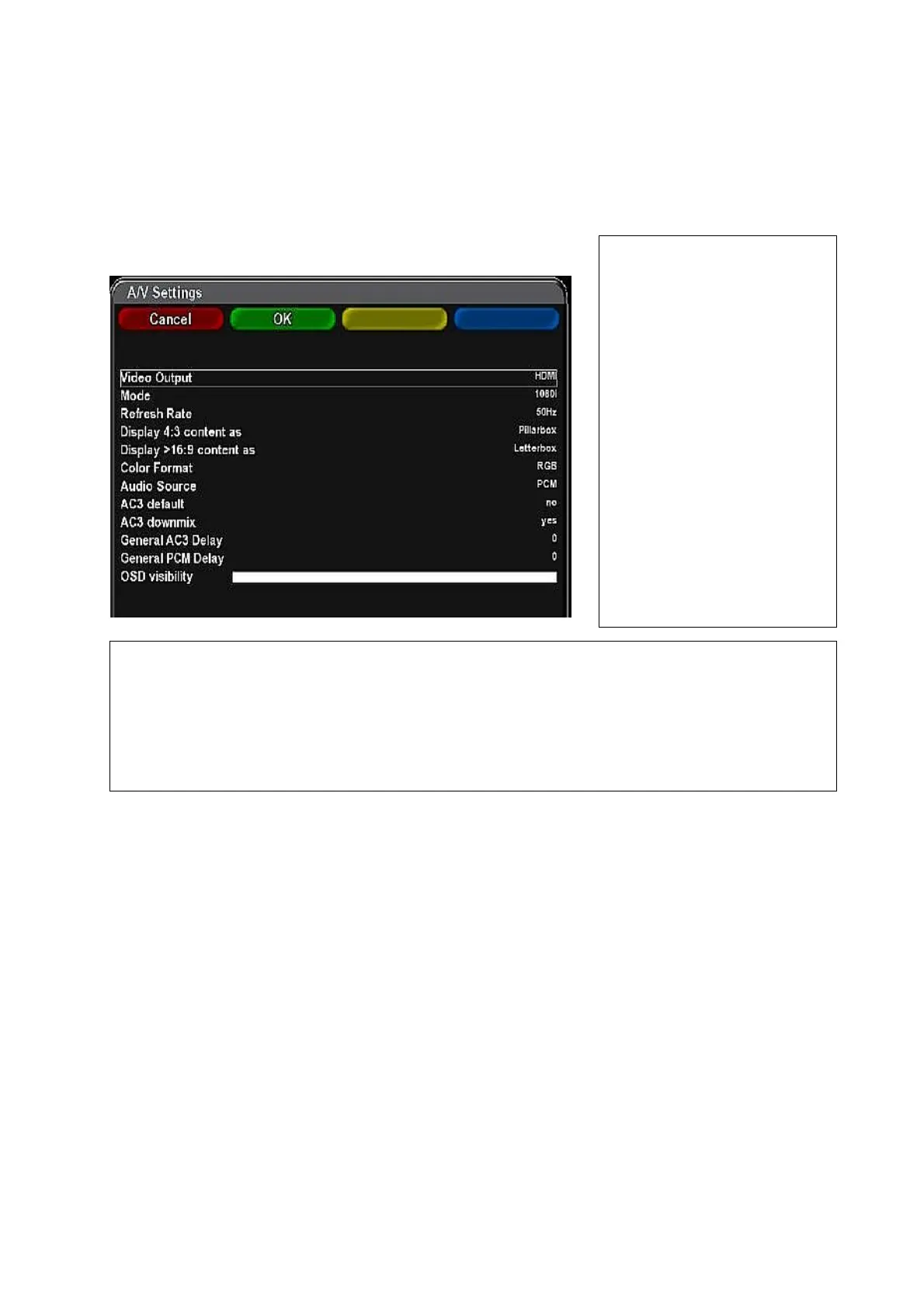
AV Setting
(Menu – System – AV Setting)
Select first item in System menu (A/V Setting) and press OK.
Menu for setting up audio/video appears. Use cursor buttons to select desired item (parameter) and
press OK.
Press GREEN function button to save your settings.
Use Left/Right cursor button
to set selected parameter.
Video Output: HDMI,
HDMI-PC, Component, Scart
Mode: 1080i, 576p, 720p
Refresh Rate: 50 Hz for
Europe, 60 Hz for USA
Display 4:3 contend as:
Pillarbox, Full screen, Wide
Zoom, Pan & Scan
Display 16:9 contend as:
Letterbox, Full screen,
Pan&Scan
Color Format - Video RGB, 4.2.2, YUV.
Audio Source - PCM – analogue, SPDIF = digital optical output
AC3 default – permanently preset multichannel digital audio source. Options „yes“ – „no“.
Recommended „no“.
AC3 downmix – audio downmix on analogue outputs – „yes“
General AC3 Delay – use numerics to set up the parameter
General PCM Delay – – use numerics to set up the parameter. Recommended „75“.



 To Next Page