BDM interface for CodeWarrior™ Debugger, BDI2000 (MPC5xx/8xx) User Manual 7
© Copyright 1992-2001 by ABATRON AG V 1.02
2.2 Connecting the BDI2000 to Power Supply
2.2.1 External Power Supply
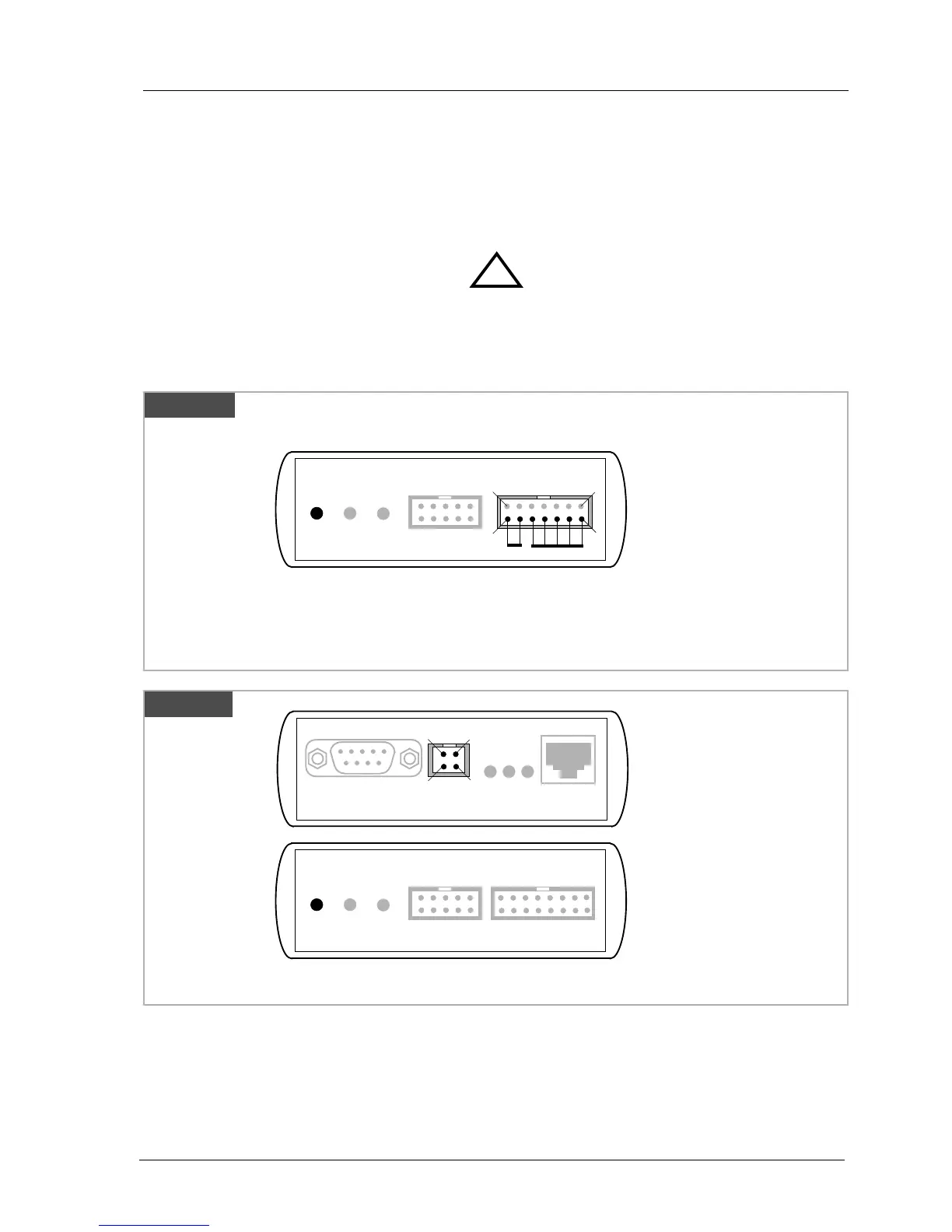
The BDI2000 needs to be supplied with 5 Volts (max. 1A) via the BDI OPTION connector (Rev. A) or
via POWER connector (Rev. B/C). The available power supply from Abatron (option) or the enclosed
power cable can be directly connected. In order to ensure reliable operation of the BDI2000, keep
the power supply cable as short as possible.
For error-free operation, the power supply to the BDI2000 must be between 4.75V and 5.25V DC.
The maximal tolerable supply voltage is 5.25 VDC. Any higher voltage or a wrong polarity
might destroy the electronics.
Please switch on the system in the following sequence:
• 1 --> external power supply
• 2 --> target system
!
BDI TRGT MODE BDI MAIN BDI OPTION
13
1
14
2
BDI OPTION
1 - NOT USED
2 - GROUND
3 - NOT USED
4 - GROUND
5 - NOT USED
6 - GROUND
7 - NOT USED
8 - GROUND
9 - NOT USED
10 - GROUND
11 - NOT USED
12 - Vcc (+5V)
13 - Vcc Target (+5V)
14 - Vcc (+5V)
Vcc
GND
Connector
The green LED «BDI» marked light up when 5V power is connected to the BDI2000
Rev. A
BDI TRGT MODE TARGET A TARGET B
POWER
1 - Vcc (+5V)
2 - VccTGT
3 - GROUND
4 - NOT USED
Connector
The green LED «BDI» marked light up when 5V power is connected to the BDI2000
RS232 POWER LI TX RX 10 BASE-T
1 Vcc
2
GND 3
4
Rev. B Version
Rev. B/C


 To Next Page