28 Start-up
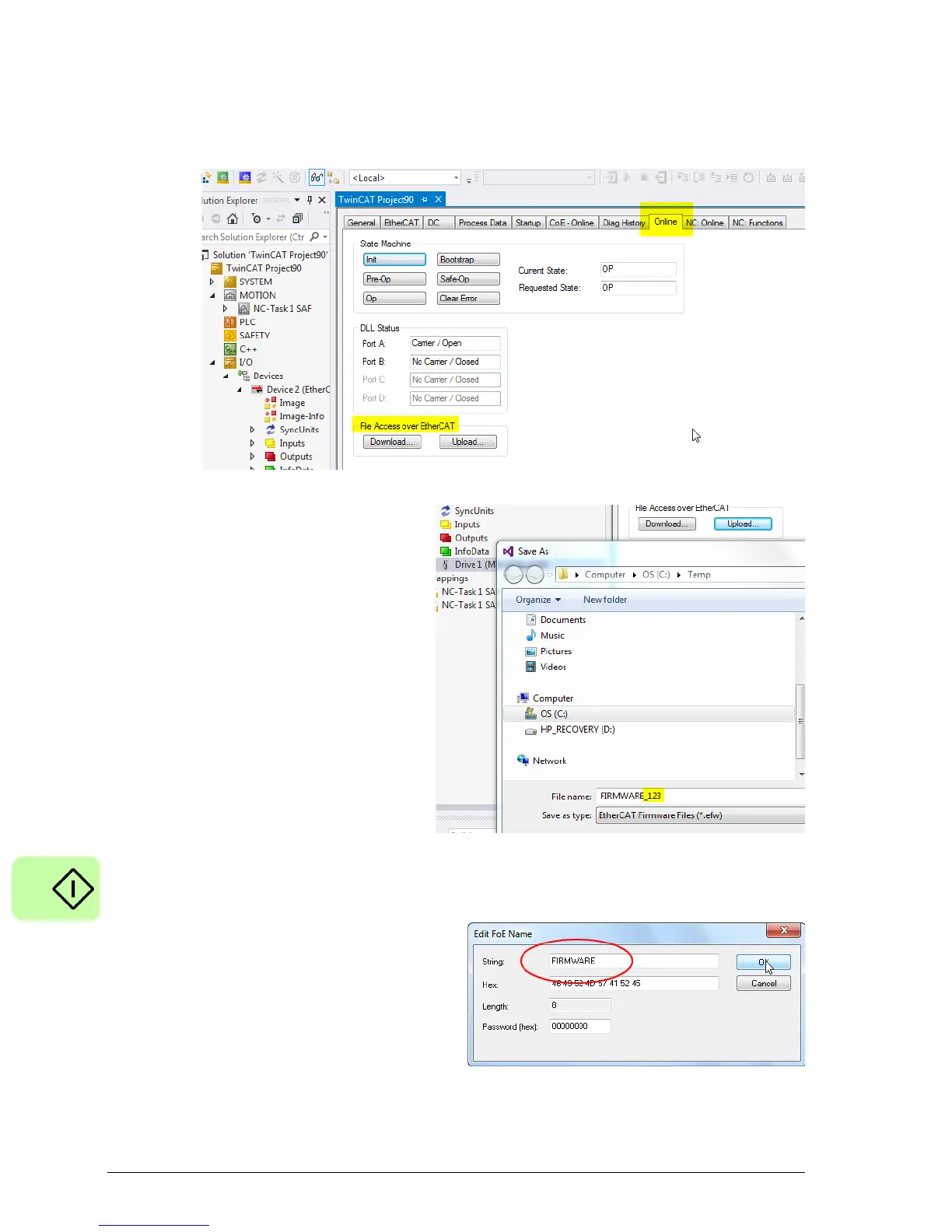
9. Under File Access over EtherCAT, click Upload… to upload one of the firmware
components from the drive.
10. In this example, the file name
has been customised by adding
a '_123' suffix. This is
acceptable as a file name, but
the prefix must be omitted when
entering the string name for the
file. The entry for String in the
Edit FoE Name dialogue must
be one of the following:
FIRMWARE
FPGA
CONFIG
MINT
See the table on page 26 for
details.
11. Click OK to confirm the FoE
Name details.
The file will be uploaded using
the FoE protocol onto your PC's
hard drive. It may take a few
seconds if the file is large.



 To Next Page