NMBA-01 Installation and Start-up Guide 7-1
Chapter 7 – Fault Tracing
Overview
This chapter gives step-by-step diagnostics information for finding out
the root causes and corrections to the most common problems with the
NMBA-01 module.
This section is divided into different sections, which lists first the symp-
toms, then possible causes, and remedies for them.
Installation Problems
Verify all the connections on the module. Check that
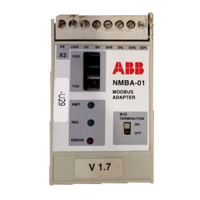
• the Modbus cable is connected correctly to terminal block X2.
• 24 V d.c. power is connected to the power connectors.
• the fibre cables between the drive and the NMBA-01 are correctly
connected.
• the fibre link connector colours match the drive and NMBA-01 con-
nector colours.
Drive Setup
Fieldbus parameter group is not visible on the control panel.
• Activate the fieldbus module according to the instructions in the
drive manual.
Drive parameters can be read, but control commands (Start/Stop or
Reference) do not work.
• Check that the drive has the fieldbus adapter selected as the source
of these commands (see the drive manual).
PLC Programming
PLC program is beyond ABB support. Contact the manufacturer for
assistance.


 To Next Page